
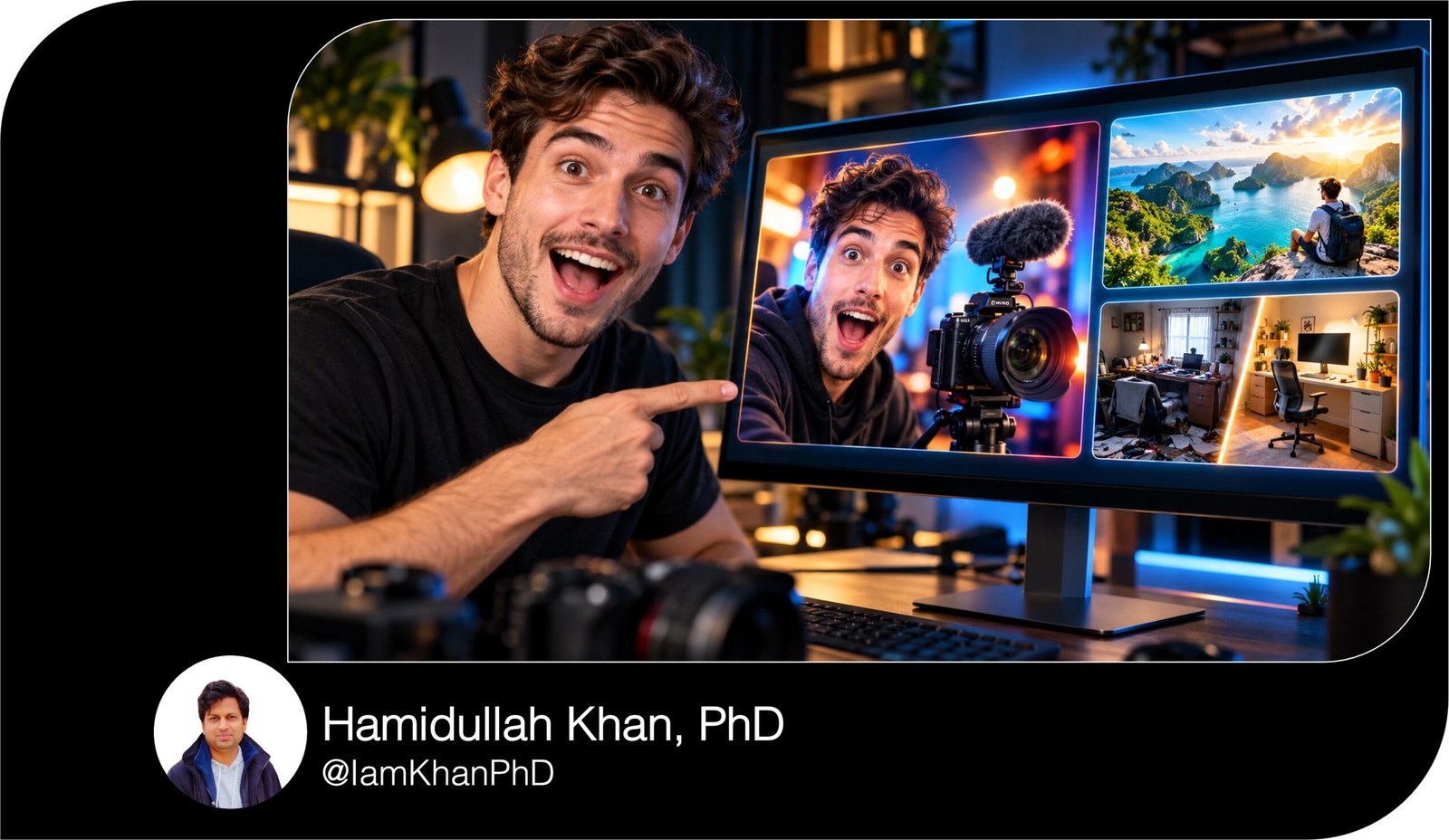
10 YouTube Thumbnail Generator Prompts I Editable AI Templates
Create clear, attention-grabbing YouTube thumbnail concepts with 10 detailed, editable AI prompt templates. Replace the placeholders to generate tailored layouts, short headline options, and image-generation prompts for tutorials, comparisons, transformations, stories, and more. Designed for beginners who want a practical starting point for their thumbnail designs.
What This Prompt Pack Does
- Turns your video details into 3 thumbnail concepts per template, with layouts and short headline options.
- Generates detailed image prompts covering subjects, backgrounds, lighting, colors, and composition.
- Helps you choose a concept that communicates your video’s real topic, benefit, or story.
Tips for This Prompt Pack
- Give specific video details and actual results; better inputs make the concepts more relevant.
- Upload your own creator photos, product images, or screenshots when you want recognizable details.
- Add headline text in your design editor, then preview the thumbnail at a small size to check readability.
How to Use the Prompts
- Choose the template that matches your video and replace every [bracketed field].
- Paste it into your text-based AI assistant and choose one of the resulting concepts.
- Use its image prompt in an image-generation tool, then add your headline and finish the design in an editor.
10 Roblox Studio Thumbnail Prompts You Can Copy and Customize
10 YouTube Thumbnail Generator Prompts
Replace the [bracketed fields] with your details. Paste a complete prompt into a text-based AI assistant. Then use its generated image prompt in an image-generation tool and add the final headline in your design editor.
10 Editable AI Prompts for Roblox Thumbnail Generation
1. Tutorial Thumbnail: Show the Result
Act as a YouTube thumbnail designer for beginner-friendly tutorials.
My inputs:
- Video title:
Title
- What I teach: [specific skill or task]
- Audience: [who the tutorial helps]
- Finished result shown in the video: [what viewers can achieve]
- Main object or uploaded screenshot: [object/reference, or none]
- Brand colors: [two colors]
- Visual style: [photo / illustration / clean graphic]
Create 3 distinct thumbnail concepts that make the finished result immediately visible. Use a 16:9 landscape composition with one large focal subject, a simple background, and empty space for text. Explore a close-up of the result, a creator demonstrating it, and an enlarged detail with one pointer. Avoid tiny interface text and crowded step-by-step diagrams.
For each concept, provide:
- The visual hook.
- Exact subject and text placement.
- Three headline options of 2–4 words.
- A complete image-generation prompt specifying subject, background, lighting, colors, and framing.
Request an image without lettering so I can add the headline separately. Choose the clearest concept and explain your choice in one sentence. Do not promise a result my video does not demonstrate.
10 ChatGPT YouTube Thumbnail Prompts I Editable Pack
2. Before-and-After Thumbnail: Make the Change Visible
Act as a thumbnail designer for transformation videos.
My inputs:
- Video title:
Title
- Subject being transformed: [room / artwork / setup / skill / other]
- Actual starting condition: [before details]
- Actual finished condition: [after details]
- Reference images: [describe uploaded images, or none]
- Main improvement: [one visible change]
- Brand colors: [colors]
Generate 3 before-and-after thumbnail concepts. Use a split composition with the same subject, camera angle, and scale on both sides so the change is easy to compare. Describe precisely which details remain consistent and which change. Make the “after” side visually prominent without exaggerating the real result.
For each concept, supply the split direction, background treatment, subject placement, 3 headline options of 2–4 words, and a complete image-generation prompt.
Leave space for labels that I will add in an editor; generate no lettering. If I provide reference images, base the design on their visible details. If references are missing, label the proposed image as illustrative.
Recommend the strongest concept based on how clearly it communicates the specific transformation.
YouTube Gaming Thumbnail Prompt Pack: 10 Editable Designs
3. Product Comparison Thumbnail: Make the Choice Clear
Act as a YouTube thumbnail designer for comparison videos.
My inputs:
- Video title:
Title
- Option A: [name and visual description]
- Option B: [name and visual description]
- Main comparison criterion: [price / speed / ease of use / other]
- Verified difference discussed in the video: [difference]
- Video conclusion: [winner / depends on the user / no clear winner]
- Product reference images: [uploaded references, or none]
- Brand colors: [colors]
Create 3 comparison thumbnail concepts with both options large and easy to distinguish. Explore an equal split, a face-off, and a visual contrast tied to my comparison criterion. Give both options fair visual treatment unless my stated conclusion supports emphasizing one.
For each concept, give the layout, focal point, 3 headline options of 2–4 words, and a full image-generation prompt with lighting, background, colors, and space for text.
Generate no lettering or invented logos. Use uploaded product references when available; otherwise specify spaces where I can insert real product photos. Do not invent specifications, prices, results, or a winner.
Select the concept that makes the viewer’s decision easiest to understand.
10 Best Thumbnail Prompts for Content Creators
4. Mistakes Thumbnail: Spotlight One Specific Problem
Act as a thumbnail designer for practical “mistakes to avoid” videos.
My inputs:
- Video title:
Title
- Topic: [topic]
- Audience: [audience]
- Mistakes actually covered: [list]
- Most visually recognizable mistake: [one mistake]
- Real consequence: [what happens]
- Correct alternative: [what to do instead]
- Brand colors: [colors]
Create 3 thumbnail concepts focused on my selected mistake. Show the error using a clear visual cue, such as an incorrect object position, one highlighted setting, or a small wrong-versus-right comparison. Use a warning accent where it helps viewers recognize the problem. Avoid unrelated danger symbols and exaggerated disaster imagery.
For each concept, provide the visual story, subject placement, one optional pointer or marker, 3 headlines of 2–4 words, and a complete image-generation prompt.
Specify a 16:9 layout, simple background, strong subject separation, and no lettering. Make the consequence accurate to my input.
If the mistake cannot be shown clearly in a still image, suggest a concrete visual metaphor and label it as a metaphor. Recommend the most understandable option.
10 Free Thumbnail Prompts You Can Copy & Edit
5. Challenge Thumbnail: Show What Makes the Attempt Difficult
Act as a thumbnail designer for challenge and experiment videos.
My inputs:
- Video title:
Title
- Challenge: [what I attempted]
- Real constraint: [time / budget / materials / rules]
- Key object or activity: [object/activity]
- Outcome status: [successful / failed / mixed / reveal later]
- Moment actually captured: [describe a real scene]
- Creator reference: [uploaded photo, or none]
- Brand colors: [colors]
Generate 3 concepts built around the real challenge constraint. Explore a starting setup, a moment of difficulty, and a result-focused scene where appropriate.
Use one dominant subject and one supporting prop that makes the constraint visible. Any timer, number, or budget label must come from my inputs and be added later in an editor.
For each concept, give the viewer’s curiosity question, scene layout, a suitable expression or faceless alternative, 3 headline options of 2–4 words, and a complete image prompt without lettering.
If the outcome should remain unrevealed, build curiosity around the attempt without suggesting a false result. Recommend the concept that most clearly communicates what makes this challenge different.
AI Thumbnail Maker Prompts: 10 Editable Templates
6. List Thumbnail: Feature One Standout Item
Act as a thumbnail designer for list-based YouTube videos.
My inputs:
- Video title:
Title
- Number of items actually covered: [number]
- Items: [list]
- Main benefit connecting them: [benefit]
- Most visually interesting item: [item]
- Audience: [audience]
- Reference images: [uploaded references, or none]
- Brand colors: [colors]
Create 3 thumbnail concepts that communicate the list’s main benefit without squeezing every item into the image. Feature my standout item prominently. Include no more than two supporting objects, and keep any count badge as an empty area for me to complete later.
Make each concept visually different: one hero object, one small curated grouping, and one benefit-focused scene.
For each concept, give the featured object, supporting objects, background and placement, 3 headline options of 2–4 words, and a complete image-generation prompt with no lettering.
Include the exact list count in separate editing instructions, using only my supplied number. Avoid inventing items or implying the video contains more than it does. Recommend the concept that best communicates the shared benefit at a glance.
10 AI Thumbnail Generator Prompts I Editable Templates
7. Storytime Thumbnail: Capture the Turning Point
Act as a thumbnail designer for personal stories and experience videos.
My inputs:
- Video title:
Title
- Story summary: [2–3 sentences]
- Real turning point: [what changed]
- Main emotion: [surprise / relief / regret / excitement / other]
- Meaningful object or location: [object/location]
- Spoiler to avoid: [detail, or none]
- Creator reference: [uploaded photo, or faceless]
- Brand colors: [colors]
Create 3 thumbnail concepts centered on the turning point. Pair a natural expression, or a faceless scene, with one meaningful object or location. Suggest a visual question the thumbnail raises that the video genuinely answers. Keep the scene specific to my story.
For each concept, provide the scene, expression or body language, lighting, text placement, 3 headlines of 2–4 words, and a complete image-generation prompt without lettering.
When using a supplied photo, ask the image tool to preserve the creator’s recognizable appearance. Do not invent events, messages, documents, or accusations. Respect my spoiler boundary.
Recommend the concept that communicates the emotional stakes most clearly while leaving a truthful reason to watch.
10 AI Thumbnail Prompts You Can Copy and Customize
8. Myth vs. Reality Thumbnail: Visualize the Misconception
Act as a thumbnail designer for myth-busting educational videos.
My inputs:
- Video title:
Title
- Common misconception: [what people believe]
- Correction explained in my video: [what is accurate]
- Evidence or demonstration included: [specific example]
- Concrete object that represents the topic: [object]
- Audience: [audience]
- Brand colors: [colors]
Generate 3 concepts that show the difference between the misconception and my correction. Explore a crossed-out visual assumption, a side-by-side contrast, and a close-up of the demonstration. Keep the viewer’s attention on one clear contradiction.
For each concept, provide the visual contrast, subject placement, proposed editor-added labels, 3 headline options of 2–4 words, and a complete image-generation prompt without lettering. Use no more than one arrow or correction marker.
Treat my supplied correction as the video’s claim, not as independently verified information. Do not add unsupported statistics or imply that the thumbnail proves the claim.
If the idea is abstract, propose a specific visual metaphor and identify it as such. Recommend the concept that needs the least explanation to understand.
10 Custom AI Thumbnail Generator Prompts
9. Travel Thumbnail: Show the Distinctive Experience
Act as a thumbnail designer for travel and experience videos.
My inputs:
- Video title:
Title
- Real destination or venue: [place]
- Experience featured: [activity]
- Distinctive detail captured: [view / food / room / moment]
- Available photo: [describe uploaded image, or none]
- Creator inclusion: [include me / faceless]
- Actual angle of the video: [guide / review / vlog / budget / other]
- Brand colors: [colors]
Create 3 thumbnail concepts that make my specific experience recognizable. Feature one distinctive detail rather than a generic collage. Match the scene’s mood to the real video angle. Include a creator only if requested, and keep the location or experience visually prominent.
For each concept, provide the crop, focal subject, background treatment, 3 headlines of 2–4 words, and a complete image-generation or image-editing prompt without lettering.
When a real photo is available, preserve the location’s recognizable features and improve framing around the supplied scene. If no photo is available, label generated scenery as illustrative. Do not invent landmarks, prices, amenities, or events.
Recommend the concept that best conveys why this experience matters to my audience.
10 Thumbnail Prompt Extractors I Editable AI Prompt Pack
10. Faceless Explainer Thumbnail: Make an Abstract Topic Concrete
Act as a thumbnail designer for faceless educational channels.
My inputs:
- Video title:
Title
- Topic: [topic]
- Main question answered: [question]
- Key takeaway: [takeaway]
- Audience: [audience]
- Possible visual objects: [2–3 objects, or suggest suitable ones]
- Preferred style: [3D illustration / flat illustration / realistic objects]
- Brand colors: [two colors]
Create 3 thumbnail concepts using objects and simple visual relationships instead of faces. Give each concept one dominant object and no more than two supporting elements.
Use different approaches: a concrete example, a cause-and-effect scene, and a clearly identified visual metaphor.
For each concept, explain what each object represents, describe the layout and contrast, provide 3 headlines of 2–4 words, and write a complete image-generation prompt specifying materials, lighting, background, framing, and no lettering.
Avoid complicated diagrams, tiny labels, decorative clutter, and symbols that require specialist knowledge. Keep all concepts tied to my actual takeaway.
Recommend the option a beginner could understand most quickly and explain your choice in one sentence.

About author



Add comment