
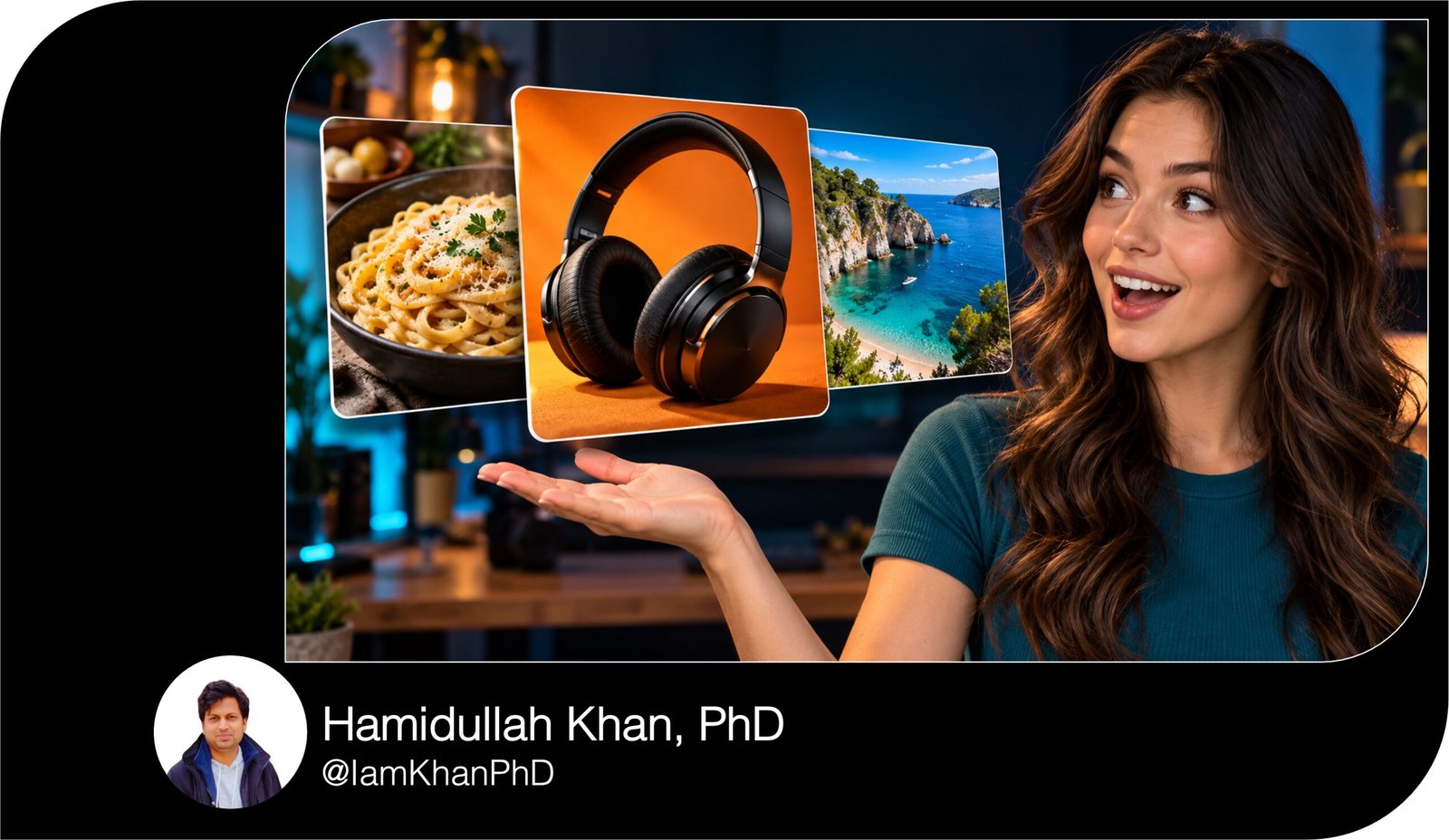
10 Best Thumbnail Prompts for Content Creators
Create eye-catching thumbnails with 10 detailed, editable AI image prompts. Designed for beginners, this pack covers tutorials, product reviews, transformations, list videos, travel, recipes, fitness, gaming, and more. Replace the clearly marked placeholders to customize the subject, headline, colors, and layout for your content.
What this prompt pack does
- Gives you 10 ready-to-edit prompts with specific instructions for composition, lighting, colors, and headline placement.
- Helps turn your video topic into a clear thumbnail concept suited to its content.
- Provides reusable starting points you can adapt to your niche and visual style.
Tips for this prompt pack
- Keep thumbnail headlines short—aim for two to five words that are readable on a phone.
- Upload a relevant reference photo when your image tool supports it, especially for faces, products, and locations.
- Check the generated image for spelling and visual errors; add the headline manually in a design editor if needed.
How to use the prompt pack
- Choose the prompt that best matches your video and replace every bracketed placeholder with your details.
- Paste the edited prompt into an AI image-generation tool and attach any relevant reference images.
- Review the result at a small viewing size, refine the prompt if needed, and export in your platform’s required format.
10 AI Thumbnail Generator Prompts I Editable Templates
10 Best AI Thumbnail Prompts I Editable Creator Pack
Replace the text in [square brackets] before using a prompt. The examples show what to enter. These prompts use a horizontal 16:9 layout; change the format if you need a different shape.
10 AI Thumbnail Prompts You Can Copy and Customize
1. Step-by-Step Tutorial Thumbnail
Create a 16:9 thumbnail for a beginner tutorial about [TOPIC: creating an online store].
Place [MAIN SUBJECT: a smiling creator holding a laptop] on the right half, shown from the chest up. On the laptop screen, display a simplified representation of [FINISHED RESULT: a clean online storefront], without tiny interface text.
On the left, add the exact headline “[HEADLINE: BUILD YOUR STORE]” in large, bold lettering across no more than three lines. Below it, place three simple numbered circles connected by a short path to suggest a clear process.
Use [BACKGROUND COLOR: deep navy], [ACCENT COLOR: bright yellow], and soft studio lighting. Make the subject, laptop, and headline visually distinct.
Keep the background uncluttered and leave the bottom-right corner free of essential content. Avoid extra captions, watermarks, distorted hands, and unreadable screen details. If accurate lettering is unavailable, leave a clean headline area for manual text.
10 Custom AI Thumbnail Generator Prompts
2. Before-and-After Transformation Thumbnail
Create a 16:9 before-and-after thumbnail showing [TRANSFORMATION: a cluttered desk becoming an organized workspace].
Split the image vertically into two equal panels. On the left, show [BEFORE DETAILS: tangled cables, scattered papers, and crowded desk space]. On the right, show [AFTER DETAILS: neatly routed cables, matching organizers, and an open work surface].
Use the same camera angle, room, desk, and main objects in both panels so the comparison is easy to understand. Give the left side muted lighting and the right side brighter, natural lighting, while keeping both believable.
Add the exact labels “[LEFT LABEL: BEFORE]” and “[RIGHT LABEL: AFTER]” at the top. Place one bold arrow across the center divider.
Use [ACCENT COLOR: lime green] sparingly. Show only changes supported by the video or supplied reference photos. Avoid unrelated upgrades, excessive decoration, and important content in the bottom-right corner.
10 Thumbnail Prompt Extractors I Editable AI Prompt Pack
3. Product Review Thumbnail
Create a 16:9 thumbnail for a review of [PRODUCT: wireless noise-canceling headphones], focusing on [REVIEW QUESTION: whether they are worth the price].
Make the product the largest object, positioned slightly left of center at a three-quarter angle. If I supply a product photo, preserve its recognizable shape, color, and visible details.
Place [REVIEWER: the creator from my reference photo] on the right with a thoughtful expression, looking toward the product. Use a subtle rim light to separate both subjects from [BACKGROUND: a dark charcoal studio].
Add the exact headline “[HEADLINE: WORTH IT?]” in large [TEXT COLOR: white] lettering at the upper left. Include one small visual cue for [FEATURE: noise cancellation], such as fading sound-wave lines.
Keep the composition focused on the product and question. Avoid invented ratings, awards, prices, extra products, or logos that are not present in the reference.
AI Thumbnail Maker Prompts: 10 Editable Templates
4. Top Picks or List Video Thumbnail
Create a 16:9 thumbnail for a list video titled [VIDEO TITLE: 5 AI Tools for Content Creators].
Place a large “[NUMBER: 5]” on the left, occupying roughly one-third of the image height. Next to it, add the exact short headline “[HEADLINE: AI TOOLS]” in bold, readable lettering.
On the right, arrange exactly three large visual symbols representing [CATEGORY ONE: writing], [CATEGORY TWO: image creation], and [CATEGORY THREE: video editing]. Use a document with a pen, an image frame, and a video timeline, respectively. Treat these as category symbols rather than invented app logos.
Use [BACKGROUND COLOR: midnight blue] with [ACCENT COLORS: cyan and orange]. Give the symbols subtle depth and consistent lighting.
Ensure the number is the first thing viewers notice, followed by the headline and symbols. Avoid tiny labels, a crowded grid, excessive glow, or unrelated technology imagery.
10 YouTube Thumbnail Generator Prompts I Editable AI Templates
5. Common Mistakes Thumbnail
Create a 16:9 thumbnail for an educational video about [MISTAKE: overwatering indoor plants].
Place [MAIN SUBJECT: a potted plant with drooping leaves and visibly soaked soil] in the center-right. Make the problem recognizable without exaggerating it beyond what the video explains.
On the left, add the exact headline “[HEADLINE: STOP OVERWATERING]” in large white lettering. Place a single red X near [PROBLEM DETAIL: a watering can pouring more water into the wet pot], without covering the plant.
Use [BACKGROUND: a simple warm beige wall] and [ACCENT COLOR: red]. Light the plant clearly so viewers can see the leaves and soil at a small viewing size.
The tone should communicate a useful correction, with an approachable educational feel. Avoid multiple warning symbols, extra captions, horror styling, or a cluttered room. Leave the bottom-right corner visually quiet.
10 Free Thumbnail Prompts You Can Copy & Edit
6. Budgeting and Money-Saving Thumbnail
Create a 16:9 thumbnail for a practical budgeting video about [TOPIC: reducing monthly grocery spending].
On the right, show [MAIN SUBJECT: a grocery basket containing ordinary household essentials] beside [SUPPORTING OBJECT: a calculator and a simple shopping checklist]. Keep the objects large and recognizable.
On the left, add the exact headline “[HEADLINE: SPEND LESS]” in bold lettering. Beneath it, include a smaller badge reading “[BADGE TEXT: GROCERY BUDGET]”.
Use [BACKGROUND COLOR: forest green], [TEXT COLOR: white], and [ACCENT COLOR: warm yellow]. Create a clean tabletop scene with soft natural light and enough empty space around the headline.
Communicate planning and everyday savings through the composition. Avoid luxury imagery, flying cash, invented receipts, unsupported savings amounts, and promises of guaranteed financial results. Keep small receipt or checklist text unreadable rather than generating false figures.
YouTube Gaming Thumbnail Prompt Pack: 10 Editable Designs
7. Travel Guide Thumbnail
Create a 16:9 travel-guide thumbnail for [DESTINATION: Kyoto, Japan], highlighting [MAIN ATTRACTION: a traditional street lined with wooden buildings].
Use [REFERENCE PHOTO: my uploaded destination photo] as the visual basis when provided. Make the location the dominant element, with a clear foreground and a recognizable architectural focal point.
Place [TRAVELER: a person wearing a mustard-yellow jacket] in the lower-left foreground, looking into the scene. Keep the traveler smaller than the setting so the destination remains the focus.
Add the exact headline “[HEADLINE: KYOTO GUIDE]” in large lettering across a clear area near the top. Use [COLOR STYLE: warm wood tones with restrained teal accents] and [LIGHTING: soft early-morning light].
Avoid invented landmarks, combining unrelated locations, excessive crowds, and text over detailed architecture. Keep essential content away from the bottom-right corner.
10 ChatGPT YouTube Thumbnail Prompts I Editable Pack
8. Recipe or Food Thumbnail
Create a 16:9 food-video thumbnail for [DISH: creamy garlic pasta], emphasizing [APPEAL: a simple comforting dinner].
Place the finished dish on the right two-thirds of the frame, photographed from [CAMERA ANGLE: a close three-quarter overhead view]. Show [TEXTURE DETAILS: glossy sauce coating the pasta, small garlic pieces, and fresh parsley]. Include one fork lifting a small bite to reveal the texture.
Use [SURFACE: a dark wooden table], soft side lighting, and a warm, appetizing color palette. Keep the background props limited to [PROPS: one folded napkin and a garlic bulb].
On the left, add the exact headline “[HEADLINE: CREAMY GARLIC PASTA]” in large cream-colored lettering. Include “[OPTIONAL BADGE: 20 MINUTES]” only if the recipe supports that timing.
Avoid ingredients absent from the recipe, excessive steam, overflowing portions, clutter, and unnatural food textures.
10 Editable AI Prompts for Roblox Thumbnail Generation
9. Beginner Workout Thumbnail
Create a 16:9 thumbnail for a beginner workout about [WORKOUT TYPE: a 10-minute standing mobility routine].
Place [INSTRUCTOR: the person in my reference photo] on the right, wearing [OUTFIT: a blue exercise shirt and black leggings]. Show them performing [MOVEMENT: a comfortable standing side stretch] with believable anatomy and a clearly visible stance.
Use [SETTING: a bright home workout space] with a simple background and minimal equipment. Leave the left half open for the exact headline “[HEADLINE: MOVE BETTER]”.
Add one smaller badge reading “[BADGE: 10 MIN • BEGINNER]”, adjusting it to match the actual session. Use [ACCENT COLOR: turquoise] and bright, natural lighting.
Make the mood welcoming and achievable. Avoid dramatic body transformations, weight-loss claims, extreme poses, distorted joints, or unrealistic muscle definition. Keep the instructor’s hands and feet inside the frame.
10 Roblox Studio Thumbnail Prompts You Can Copy and Customize
10. Gaming Challenge Thumbnail
Create a 16:9 gaming thumbnail for [GAME: Minecraft] about [CHALLENGE: surviving the first night without a house].
Use [REFERENCE: my uploaded gameplay screenshot] as the foundation when available, preserving the game’s recognizable visual style.
Place [MAIN CHARACTER: the player avatar holding a basic wooden sword] in the left foreground. On the right, show [THREAT: two approaching zombies] at a clearly visible distance. Use [SETTING: a grassy clearing at night] with moonlight and one warm torch as contrasting light sources.
Add the exact headline “[HEADLINE: NO HOUSE?!]” across the upper center in thick white lettering with a dark outline. Use one subtle arrow pointing toward [FOCAL DETAIL: the exposed player position].
Make the situation readable at a small size. Avoid invented game interfaces, fake reward screens, excessive enemies, unrelated weapons, and visual clutter. Depict a challenge that actually appears in the video.


About author



Add comment