
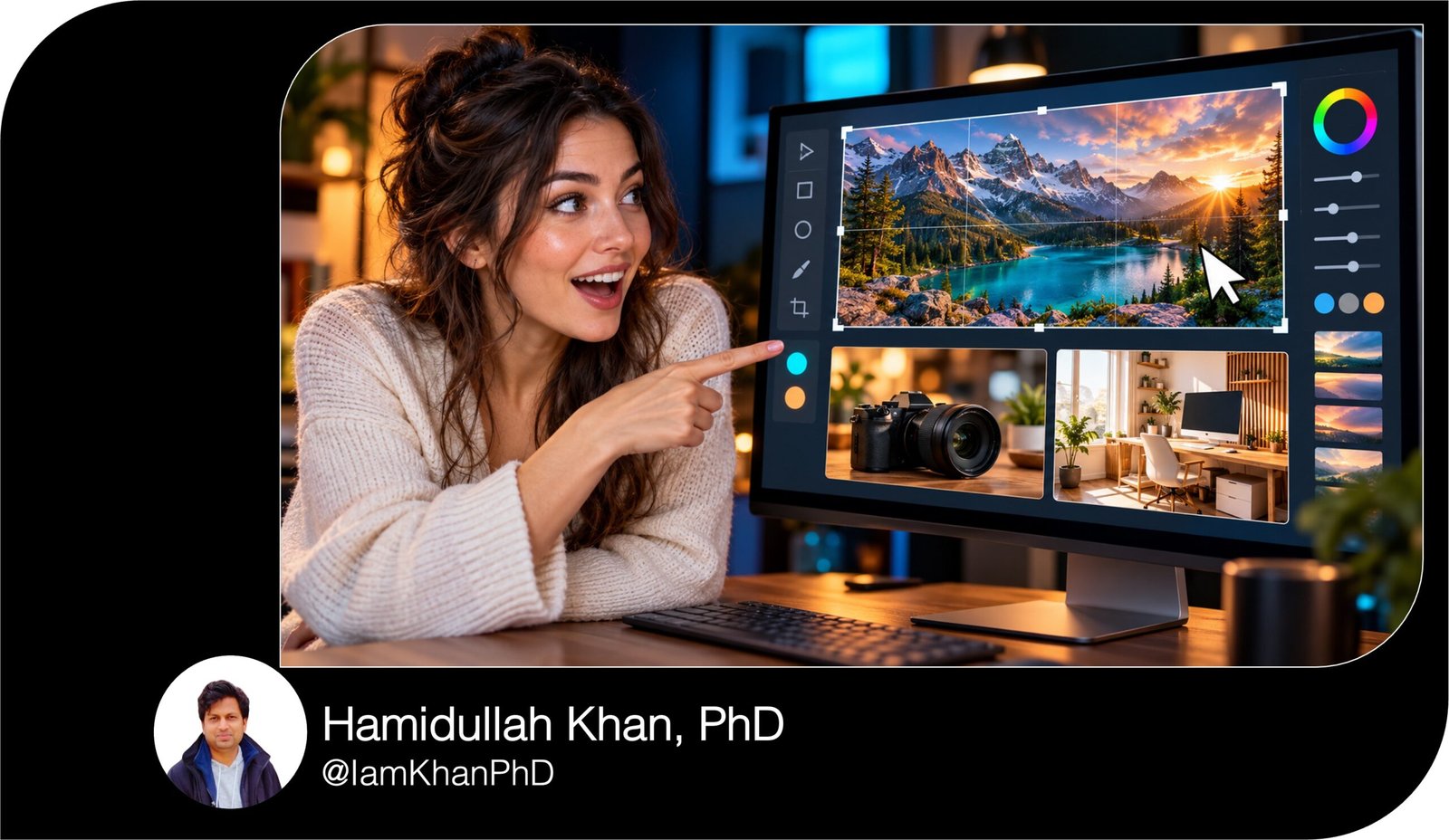
AI Thumbnail Maker Prompts: 10 Editable Templates
Turn your content ideas into clear thumbnail designs with 10 detailed, editable AI prompts. Built for beginners, this pack helps you plan visuals, write short thumbnail headlines, and create image-generation prompts for tutorials, reviews, comparisons, stories, and product reveals. Replace the bracketed details and reuse the prompts for your own content.
What This Prompt Pack Does
- Creates specific thumbnail concepts with subject placement, colors, backgrounds, and headline space.
- Generates short headline options and ready-to-paste AI image prompts.
- Adapts to 10 content formats using your topic, audience, brand style, and reference images.
Tips for This Prompt Pack
- Describe your actual content and its main takeaway so the thumbnail sets accurate expectations.
- Upload clear reference photos or screenshots when your product, face, or finished result needs to appear.
- Keep one main focal point, add text manually, and preview the design at a small size before publishing.
How to Use the Prompt Pack
- Choose the prompt that matches your content and replace every bracketed field with your details.
- Paste it into a text AI tool to receive a thumbnail concept, headline options, and an image-generation prompt.
- Copy the image prompt into an AI image tool, then add your chosen headline and original assets in a design editor.
10 AI Thumbnail Generator Prompts I Editable Templates
10 Editable AI Thumbnail Maker Prompts
Create thumbnail ideas for tutorials, reviews, comparisons, stories, and more—even if you have no design experience.
Before you start: Replace the text inside [brackets] with your details. Paste your chosen prompt into a text AI tool. It will create a thumbnail plan and an image-generation prompt you can copy into an AI image tool. Add the suggested headline in your design editor for accurate spelling and placement.
10 AI Thumbnail Prompts You Can Copy and Customize
1. The “Show the Result” Tutorial Thumbnail
Best for: How-to videos, software tutorials, DIY guides, and beginner lessons.
Copy-and-paste prompt:
Act as a thumbnail designer for beginner-friendly tutorials. Build a thumbnail concept that makes the finished result immediately clear.
My details:
- Video title: [How to create your first website with AI]
- Target audience: [Beginners who have never built a website]
- What the tutorial teaches: [Creating a simple business website]
- Actual finished result: [A working homepage with a headline, image, and contact button]
- Main visual available: [Screenshot of the finished website / uploaded photo / no existing image]
- Brand colors: [Navy blue, white, and yellow]
- Format: [Horizontal 16:9]
- Visual style: [Clean, realistic, and beginner-friendly]
Make the finished result the main focal point. Add one supporting cue that suggests the process, such as a cursor, tool, or simple arrow. Keep interface details large and simplified; avoid tiny menus or unreadable text.
Give me:
- One specific thumbnail concept with subject placement, background, colors, and headline space.
- Three headline options of 2–5 words, emphasizing the result without promising something the tutorial does not deliver.
- One complete image-generation prompt describing the composition, lighting, style, and format. Request a text-free image with clear space for the headline.
- One editing instruction explaining where to add the headline.
If a screenshot is needed but not provided, describe the intended layout without pretending to reproduce the actual website.
10 Custom AI Thumbnail Generator Prompts
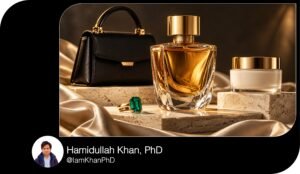
2. The “Worth Buying?” Product Review Thumbnail
Best for: Gadget reviews, app reviews, beauty products, equipment, and software reviews.
Copy-and-paste prompt:
Act as a product-review thumbnail designer. Create a thumbnail that highlights a real buying decision around this product.
My details:
- Product name: [Product name and model]
- Video title: [My honest review after 30 days]
- Intended buyer: [Students looking for an affordable laptop]
- Review verdict: [Good value, but the battery life disappointed me]
- Most important finding: [Strong performance for the price]
- Product reference image: [Attached / not available]
- Reviewer photo: [Attached / use no person]
- Brand colors: [Black, white, and orange]
- Format: [Horizontal 16:9]
Make the product large enough to recognize immediately. Use one visual cue connected to my most important finding. Choose a facial expression, if a reviewer photo is provided, that matches my actual verdict. Avoid exaggerated shock when the review is balanced.
Give me a precise layout, three headline options of 2–4 words, and one ready-to-paste image-generation prompt. Keep the image text-free and reserve a clear headline area.
If a product reference is attached, instruct the image tool to preserve its visible shape, color, and key details. If no reference is available, explain what product photo I should add manually. Do not invent product specifications, ratings, badges, or endorsement logos.
10 Thumbnail Prompt Extractors I Editable AI Prompt Pack
3. The Side-by-Side Comparison Thumbnail
Best for: Tool comparisons, product battles, budget versus premium videos, and method comparisons.
Copy-and-paste prompt:
Act as a thumbnail designer for comparison videos. Create a clear side-by-side concept that helps viewers understand the choice being compared.
My details:
- Video title: [Free AI Tool vs Paid AI Tool]
- Option A: [Name of the free tool]
- Option B: [Name of the paid tool]
- Main comparison criterion: [Quality of generated images]
- Audience: [Small business owners creating social content]
- Actual conclusion: [The free option is enough for simple posts]
- Reference images: [Attached images of both options / none]
- Colors: [Blue for A, orange for B]
- Format: [Horizontal 16:9]
Give both options equal visual weight unless my video specifically explains an imbalance. Use a simple split composition with one recognizable subject on each side. Represent the main comparison criterion visually instead of adding several unrelated icons.
Return:
- A layout explaining the left side, right side, divider, and headline position.
- Three short headline options that frame the decision accurately.
- One complete image-generation prompt with balanced scale, clean contrast, and text-free space.
- The labels I should add manually for Option A and Option B.
Do not imply that one option won unless my stated conclusion supports it. If references are missing, use placeholders that I can replace with real product images.
10 YouTube Thumbnail Generator Prompts I Editable AI Templates
4. The Before-and-After Transformation Thumbnail
Best for: Room makeovers, photo edits, design improvements, organization, and restoration projects.
Copy-and-paste prompt:
Act as a thumbnail designer for transformation content. Create a before-and-after thumbnail that makes the actual improvement easy to see.
My details:
- Video title: [Turning a cluttered desk into a clean workspace]
- Subject being transformed: [Home office desk]
- Before condition: [Cluttered cables, scattered papers, poor lighting]
- After condition: [Organized cables, clear surface, warm desk lighting]
- Actual changes completed: [Cable management, storage trays, and a new lamp]
- Reference images: [Before and after images attached / none]
- Brand colors: [White, charcoal, and green]
- Format: [Horizontal 16:9]
Use a split composition with matching camera angles, subject scale, and framing. Make the transformation visible through the specific changes I listed. Keep the before side believable; do not make it artificially worse.
Give me the layout, three headline options of 2–5 words, and one detailed image-generation prompt. Request a text-free image and specify where “Before” and “After” labels should be added manually.
When references are attached, prioritize their actual details. When no references are available, describe the image as an illustrative concept rather than evidence of a completed transformation. Avoid adding improvements that were not part of my project.
10 Free Thumbnail Prompts You Can Copy & Edit
5. The Numbered List Thumbnail
Best for: “Top 5,” “7 tools,” “10 ideas,” resource roundups, and recommendation videos.
Copy-and-paste prompt:
Act as a thumbnail designer for list-based videos. Create a thumbnail that communicates the topic and number without becoming a crowded collage.
My details:
- Video title: [7 AI Tools for Small Business Owners]
- Number of items: [7]
- Topic: [AI tools for everyday business tasks]
- Audience: [Solo business owners with limited time]
- Main benefit: [Help with writing, planning, and creating visuals]
- Three representative items: [Writing assistant, scheduling tool, image generator]
- Available images: [Attached screenshots / no images]
- Brand colors: [Purple, white, and lime]
- Format: [Horizontal 16:9]
Show no more than three representative visual elements. Make the number the main text element, with a short phrase explaining the topic. Do not try to display every list item.
Return one specific composition, three headline options that include the exact number, and one ready-to-paste image-generation prompt. Generate the artwork without text or numbers; reserve space for me to add them accurately.
Explain which three items should appear and why they communicate the list’s overall value. If actual tool screenshots are unavailable, use simple task-related objects instead of inventing logos. Keep all small details optional so the concept still works at thumbnail size.
10 Best Thumbnail Prompts for Content Creators
6. The “Avoid This Mistake” Thumbnail
Best for: Common mistakes, troubleshooting, beginner advice, and problem-solving content.
Copy-and-paste prompt:
Act as a thumbnail designer for practical mistake-and-fix videos. Create a visual that shows one recognizable problem and one clear correction.
My details:
- Video title: [Why Your AI Prompts Give Weak Answers]
- Audience: [Beginners using AI for everyday tasks]
- Main mistake: [Giving vague instructions without context]
- Real consequence: [Receiving generic answers]
- Fix taught in the video: [Adding a goal, audience, and output format]
- Visual subject: [Two simplified prompt cards]
- Brand colors: [Dark blue, white, and red]
- Format: [Horizontal 16:9]
Make the main mistake visually obvious without relying on a paragraph of text. Use one red problem cue and one positive correction cue. Keep the corrected example tied to the fix my content actually teaches.
Provide:
- One layout showing the problem, correction, and headline area.
- Three headline options of 2–5 words that focus on the specific mistake.
- One image-generation prompt for text-free artwork.
- Exact short labels I can add manually to the two examples.
Avoid fear-based claims, unrelated warning symbols, and promises that the fix will solve every problem. If a visual requires readable example text, supply that text separately for manual editing.
YouTube Gaming Thumbnail Prompt Pack: 10 Editable Designs
7. The Time-Limited Challenge Thumbnail
Best for: “I tried it for 7 days,” timed projects, creative challenges, and experiments.
Copy-and-paste prompt:
Act as a thumbnail designer for challenge videos. Create a thumbnail that clearly connects the challenge, its time limit, and the actual outcome.
My details:
- Video title: [I Built an Online Store in 24 Hours]
- Challenge: [Build a simple online store from scratch]
- Duration: [24 hours]
- Rules or limitation: [No coding and a small budget]
- Actual outcome: [The store launched with three products]
- Main visual: [Finished storefront screenshot]
- Creator photo: [Attached / no person]
- Brand colors: [Black, yellow, and white]
- Format: [Horizontal 16:9]
Choose one main subject representing the challenge and one secondary cue representing time. Show the finished outcome if it exists. If using my photo, suggest an expression that reflects my experience: [tired but pleased / surprised / focused].
Give me one composition, three headline options of 2–5 words, and one complete image-generation prompt. Request text-free artwork with space for a manually added duration badge.
Explain where to place the duration and headline so they do not compete. Do not invent sales, profits, results, or milestones. Keep the challenge’s outcome consistent with the details I supplied.
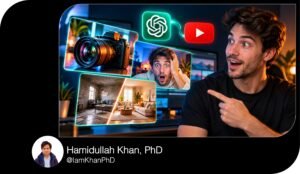
10 ChatGPT YouTube Thumbnail Prompts I Editable Pack
8. The Simple Educational Explainer Thumbnail
Best for: “How it works,” beginner lessons, science explainers, technology concepts, and business education.
Copy-and-paste prompt:
Act as a thumbnail designer who makes unfamiliar ideas visually understandable. Create a thumbnail for an educational video using one clear visual metaphor.
My details:
- Video title: [How AI Learns from Examples]
- Concept being explained: [Learning patterns from training examples]
- Audience: [People with no technical background]
- Main takeaway: [AI identifies patterns rather than learning exactly like a person]
- Possible metaphor: [Many example cards feeding into a pattern sorter]
- Visual style: [Simple 3D illustration]
- Brand colors: [Blue, cream, and orange]
- Format: [Horizontal 16:9]
Choose a metaphor that supports the takeaway without suggesting a false explanation. Use one dominant object and no more than two supporting elements. Avoid decorative technical diagrams, tiny labels, and unrelated futuristic imagery.
Give me:
- A visual concept and a brief explanation of how it connects to the lesson.
- Three plain-language headline options of 2–5 words.
- One image-generation prompt specifying composition, object scale, contrast, style, and text-free headline space.
- One potential misunderstanding the visual could create, plus a design adjustment that reduces it.
Use the facts I provide. If the concept needs clarification, identify the missing detail rather than inventing an explanation.
10 Editable AI Prompts for Roblox Thumbnail Generation
9. The Personal Story Thumbnail
Best for: Creator journeys, lessons learned, behind-the-scenes videos, and personal experiences.
Copy-and-paste prompt:
Act as a thumbnail designer for personal storytelling videos. Create a thumbnail that communicates a real emotional turning point.
My details:
- Video title: [Why I Changed My Content Strategy]
- Story situation: [Posting frequently but feeling disconnected from my audience]
- Turning point: [Reading audience feedback and simplifying my topics]
- Main emotion: [Thoughtful and hopeful]
- Object connected to the story: [Notebook containing my content plan]
- Creator photo: [Attached / use an object-led composition]
- Background: [Home studio]
- Brand colors: [Warm beige, dark brown, and white]
- Format: [Horizontal 16:9]
Build the concept around one emotion and one meaningful object. If I provide a photo, instruct the image tool to preserve my recognizable features. Avoid adding tears, anger, dramatic damage, or other events that did not happen.
Return a detailed layout, three headline options of 2–5 words, and one ready-to-paste image-generation prompt. Make the image text-free and leave clean space beside the main subject.
Create curiosity around the actual turning point without inventing a scandal or crisis. Explain which background details should be softened or removed so the emotion and story object remain easy to notice.
10 Roblox Studio Thumbnail Prompts You Can Copy and Customize
10. The New Product or Resource Reveal Thumbnail
Best for: Digital product launches, template reveals, courses, downloadable resources, and new features.
Copy-and-paste prompt:
Act as a thumbnail designer for product and resource reveals. Create a thumbnail that makes the offer understandable through its appearance and intended use.
My details:
- Product or resource name: [AI Content Planning Kit]
- Product type: [Editable planner and prompt collection]
- Audience: [Creators who need help planning weekly content]
- Main use: [Organizing post ideas and drafting content]
- Actual contents: [Weekly planner, topic worksheet, and 20 prompts]
- Product screenshots or cover: [Attached / not available]
- Video title: [Meet My New AI Content Planning Kit]
- Brand colors: [Teal, white, and coral]
- Format: [Horizontal 16:9]
Make one main product preview the focal point. Include up to two supporting previews only if they show actual contents. Use a clean background and enough empty space for a short headline.
Give me one specific layout, three headline options of 2–5 words, and one detailed image-generation prompt. Request text-free supporting artwork. If my screenshots contain essential text, explain how to place the original screenshots manually in the design.
Do not add contents, testimonials, discounts, sales figures, or results I have not supplied. If no product image is available, describe a simple mockup layout and identify the real screenshot or cover I should insert.

About author







Add comment