
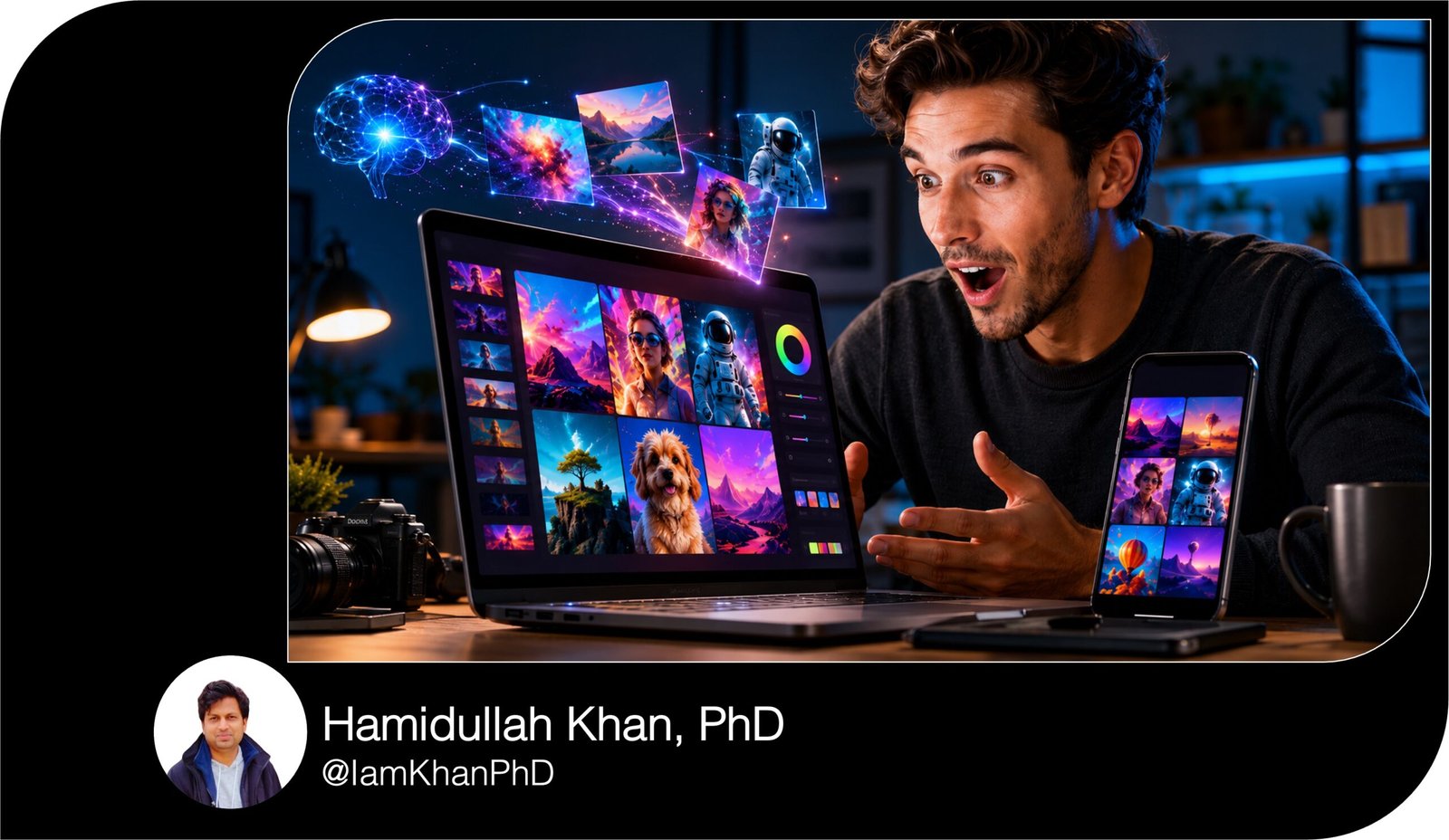
10 DALL·E Prompts for Social Media Graphics
Create scroll-stopping social media visuals with this collection of 10 detailed and editable DALL·E prompts. Designed for beginners, small-business owners, content creators, marketers, and influencers, this prompt pack helps you generate professional graphics for promotions, product launches, testimonials, events, giveaways, educational posts, and more. Simply replace the bracketed sections with your brand details and paste the prompt into DALL·E.
What This Prompt Pack Does
- Helps you generate professional social media graphic concepts without starting from a blank page.
- Provides editable instructions for layout, colors, lighting, composition, style, and text placement.
- Covers 10 popular types of social media content for businesses, creators, coaches, and online stores.
Tips for Using These Prompts
- Replace every detail inside [brackets] with information that matches your brand, audience, product, or campaign.
- Ask DALL·E to leave blank areas for text, then add your headline and call to action using Canva, Photoshop, Adobe Express, or another design tool.
- Generate several versions of the same prompt and select the image with the clearest composition, best product placement, and most useful text space.
How to Use the Prompts
- Choose the prompt that matches the type of social media post you want to create.
- Customize the bracketed sections, copy the complete prompt, and paste it into DALL·E.
- Download your preferred result, add your text and branding in a design editor, and resize it for your chosen social media platform.
10 Copy-Paste AI Prompts for Professional Poster Design Concepts
10 DALL·E Prompts for Social Media Graphics
Create professional, eye-catching social media graphics without advanced design skills. These detailed DALL·E prompts help you generate visuals for product launches, promotions, educational posts, testimonials, events, giveaways, and more.
Replace the words inside [brackets] with your own information before using each prompt.
10 AI Prompts for Modern Website Hero Images
1. Product Launch Announcement Graphic
Best for: Instagram, Facebook, LinkedIn, Pinterest
Edit these details:
- [PRODUCT NAME]
- [PRODUCT TYPE]
- [TARGET AUDIENCE]
- [BRAND COLORS]
- [VISUAL STYLE]
- [PLATFORM FORMAT]
Prompt:
Create a premium social media launch graphic for a new product called [PRODUCT NAME], which is a [PRODUCT TYPE] designed for [TARGET AUDIENCE]. Place the product as the main focal point in the center, displayed from a slightly elevated three-quarter angle. Use a clean background featuring soft gradients in [BRAND COLORS], subtle shadows, floating geometric shapes, and gentle light reflections.
The overall visual style should be [VISUAL STYLE: modern, luxurious, playful, minimalist, futuristic, natural, or bold]. Add realistic studio lighting, sharp product details, balanced spacing, and a polished commercial advertising appearance.
Leave a large, uncluttered space at the top for a product launch headline and a smaller empty space near the bottom for a call-to-action button. Do not generate random text, logos, watermarks, distorted objects, or unnecessary decorative elements.
Create the image in a [PLATFORM FORMAT: square 1:1, portrait 4:5, or vertical story 9:16] format.
10 Midjourney Prompts for Real Estate Exterior Images
2. Limited-Time Sale Promotion Graphic
Best for: Flash sales, holiday promotions, discount campaigns
Edit these details:
- [DISCOUNT]
- [PRODUCT OR SERVICE]
- [SALE THEME]
- [PRIMARY COLOR]
- [SECONDARY COLOR]
- [TARGET CUSTOMER]
Prompt:
Design a high-converting limited-time sale graphic promoting [DISCOUNT] off [PRODUCT OR SERVICE] for [TARGET CUSTOMER]. Use an energetic commercial layout with the featured product or service-related object positioned prominently on the right side.
Create a dynamic background inspired by [SALE THEME: summer sale, Black Friday, festive season, clearance sale, weekend offer, or birthday sale]. Use [PRIMARY COLOR] as the dominant color and [SECONDARY COLOR] for accents. Include visual elements such as ribbons, confetti, shopping bags, gift boxes, price-tag shapes, or subtle motion lines that match the campaign theme.
Leave a large clean area on the left for the discount headline, sale dates, and promotional message. Leave a smaller blank area near the bottom for a “Shop Now” call to action.
The graphic should feel urgent, exciting, modern, and trustworthy without looking overcrowded. Use strong lighting, clear visual hierarchy, crisp details, and professional advertising quality. Do not include generated words, brand logos, watermarks, or unreadable text.
Create in [square 1:1 / portrait 4:5 / vertical 9:16] format.
10 Copy-Paste AI Prompts for Fantasy Character Art
3. Inspirational Quote Background
Best for: Motivational pages, coaches, personal brands, wellness accounts
Edit these details:
- [QUOTE TOPIC]
- [MOOD]
- [BACKGROUND SETTING]
- [COLOR PALETTE]
- [AUDIENCE]
- [BRAND STYLE]
Prompt:
Create an elegant social media background for an inspirational quote about [QUOTE TOPIC: confidence, success, healing, productivity, leadership, self-love, or personal growth]. The image should communicate a [MOOD: peaceful, empowering, hopeful, bold, reflective, or uplifting] feeling.
Use a visually appealing [BACKGROUND SETTING: sunrise over mountains, calm ocean, minimalist office, blooming garden, abstract gradient, city skyline, or peaceful bedroom]. Apply a refined color palette featuring [COLOR PALETTE].
Keep the main visual details around the edges and leave a large, clean, softly lit area in the center for adding a quote later. Make sure the empty area has enough contrast for readable text.
The design should appeal to [AUDIENCE] and follow a [BRAND STYLE: minimalist, feminine, masculine, luxury, modern, natural, or colorful] aesthetic. Use soft lighting, balanced composition, subtle depth, and premium editorial quality. Do not add any quote, letters, logos, signatures, watermarks, or random text.
Create in [square 1:1 / portrait 4:5] format.
10 AI Prompts for Children’s Book Illustrations
4. Educational Tips Carousel Cover
Best for: Coaches, educators, marketers, consultants, course creators
Edit these details:
- [NUMBER OF TIPS]
- [TOPIC]
- [TARGET AUDIENCE]
- [MAIN VISUAL]
- [BRAND COLORS]
- [DESIGN STYLE]
Prompt:
Create a professional cover graphic for a social media carousel titled around [NUMBER OF TIPS] practical tips about [TOPIC] for [TARGET AUDIENCE].
Feature a clear visual representation of the topic, such as [MAIN VISUAL: laptop dashboard, smartphone, notebook, marketing chart, camera, healthy meal, skincare products, or business workspace]. Position the main visual in the lower-right section of the composition.
Use [BRAND COLORS] throughout the background, decorative shapes, icons, and accent elements. Follow a [DESIGN STYLE: clean corporate, modern editorial, playful educational, minimalist, bold, or premium] design style.
Leave a large empty area in the upper-left and center sections for adding the carousel title, subtitle, and account name. Add subtle visual cues such as arrows, numbered cards, checklist symbols, small charts, or layered paper elements to communicate educational content.
The final graphic should look organized, useful, professional, and easy to understand at a glance. Do not generate words, numbers, logos, watermarks, or cluttered details.
Create in portrait 4:5 format, optimized for an Instagram or LinkedIn carousel cover.
10 AI Image Prompts for Interior Design Ideas
5. Customer Testimonial Graphic
Best for: Service providers, online stores, coaches, agencies, freelancers
Edit these details:
- [BUSINESS TYPE]
- [CUSTOMER TYPE]
- [PRODUCT OR SERVICE]
- [BRAND COLORS]
- [PHOTO STYLE]
- [DESIGN MOOD]
Prompt:
Design a trustworthy customer testimonial social media graphic for a [BUSINESS TYPE] that provides [PRODUCT OR SERVICE] to [CUSTOMER TYPE].
Include a professional portrait of a relatable customer on the left side. The person should appear natural, confident, friendly, and satisfied. Use a [PHOTO STYLE: realistic lifestyle photograph, clean studio portrait, warm candid portrait, or professional business headshot].
On the right side, create a clean testimonial card with rounded corners, a subtle shadow, and a large empty area where a customer review can be added later. Include five small star-shaped visual icons above the empty review area, but do not include numbers or text.
Use [BRAND COLORS] with a [DESIGN MOOD: friendly, premium, modern, calming, professional, or energetic] visual identity. Add subtle decorative quote marks, soft gradients, or simple geometric shapes without distracting from the customer.
The design should communicate authenticity, trust, and customer satisfaction. Do not add names, testimonials, company logos, watermarks, or unreadable generated text.
Create in square 1:1 or portrait 4:5 format.
10 AI Prompts for Realistic Food Photography
6. Webinar or Online Event Promotion
Best for: Webinars, workshops, masterclasses, live streams, virtual events
Edit these details:
- [EVENT TOPIC]
- [SPEAKER TYPE]
- [TARGET AUDIENCE]
- [EVENT STYLE]
- [BRAND COLORS]
- [BACKGROUND THEME]
Prompt:
Create a polished promotional graphic for an online event about [EVENT TOPIC], hosted by a [SPEAKER TYPE: business coach, marketing expert, fitness trainer, educator, designer, financial advisor, or industry specialist] for [TARGET AUDIENCE].
Place a professional speaker portrait on the right side, shown from the waist up with confident and welcoming body language. Use realistic studio-quality lighting and a clean cutout effect.
Create a [BACKGROUND THEME: digital stage, modern office, abstract technology environment, creative studio, business conference, or elegant gradient] using [BRAND COLORS]. Add subtle elements related to the event topic, such as charts, screens, icons, microphones, presentation slides, or glowing interface shapes.
Leave a large empty space on the left for the event title, speaker name, date, time, and registration details. Leave a clear area at the bottom for a registration button.
The visual style should be [EVENT STYLE: professional, premium, energetic, educational, futuristic, or friendly]. Do not generate event text, names, logos, watermarks, or random letters.
Create in portrait 4:5 or vertical story 9:16 format.
10 AI Image Prompts for Bakery Branding
7. Social Media Giveaway Announcement
Best for: Contests, follower milestones, collaborations, product giveaways
Edit these details:
- [GIVEAWAY PRIZE]
- [AUDIENCE]
- [BRAND COLORS]
- [CELEBRATION STYLE]
- [PRIZE QUANTITY]
- [PLATFORM FORMAT]
Prompt:
Create an exciting social media giveaway graphic featuring [GIVEAWAY PRIZE] as the main prize for [AUDIENCE].
Place [PRIZE QUANTITY] prize items in the center, arranged like a premium gift display. Surround the prizes with tasteful celebration elements such as confetti, ribbons, balloons, sparkles, gift boxes, and glowing particles.
Use [BRAND COLORS] across the background and decorative elements. Follow a [CELEBRATION STYLE: bright and playful, luxury celebration, minimalist modern, youthful, feminine, bold, or festive] aesthetic.
Leave a large clean area at the top for a giveaway announcement headline. Leave an organized empty section near the bottom for entry instructions, deadline information, and eligibility details.
Use dramatic product lighting, realistic shadows, crisp details, depth, and a professional promotional appearance. Make the visual exciting without overcrowding the composition. Do not add generated words, social media icons, usernames, logos, watermarks, or unreadable text.
Create in [PLATFORM FORMAT: square 1:1, portrait 4:5, or vertical 9:16].
10 Midjourney Prompts for Minimalist Logo Concepts
8. Personal Brand Expert Graphic
Best for: Entrepreneurs, consultants, creators, speakers, freelancers
Edit these details:
- [PROFESSION]
- [EXPERTISE]
- [BRAND PERSONALITY]
- [BACKGROUND]
- [BRAND COLORS]
- [TARGET AUDIENCE]
Prompt:
Create a premium personal-brand social media graphic featuring a confident [PROFESSION] known for expertise in [EXPERTISE].
Show the person from the waist up, wearing professional clothing that reflects a [BRAND PERSONALITY: approachable, authoritative, creative, luxurious, bold, calm, or innovative] identity. Use natural facial expression, confident posture, realistic skin texture, and professional editorial lighting.
Place the person on the right side against a [BACKGROUND: modern office, creative studio, abstract gradient, luxury interior, city environment, or digital workspace]. Use [BRAND COLORS] in subtle background details, lighting accents, and geometric shapes.
Leave a large empty space on the left for adding the person’s name, professional title, key message, and call to action. Include subtle visual elements connected to [EXPERTISE], but keep the layout uncluttered.
The graphic should appeal to [TARGET AUDIENCE] and feel credible, polished, modern, and memorable. Do not generate names, titles, logos, watermarks, or random text.
Create in portrait 4:5 format.
5 Viral Social Media Mega City AI Prompts
9. Seasonal Social Media Promotion
Best for: Christmas, New Year, Ramadan, Easter, Valentine’s Day, summer campaigns
Edit these details:
- [SEASON OR HOLIDAY]
- [PRODUCT OR SERVICE]
- [CAMPAIGN MOOD]
- [COLOR PALETTE]
- [DECORATIVE ELEMENTS]
- [TARGET AUDIENCE]
Prompt:
Create a seasonal social media promotional graphic for [PRODUCT OR SERVICE] inspired by [SEASON OR HOLIDAY] and designed for [TARGET AUDIENCE].
Display the product or a visual representation of the service in the center of a carefully styled seasonal scene. Surround it with [DECORATIVE ELEMENTS: flowers, lanterns, snowflakes, gift boxes, hearts, leaves, lights, stars, ornaments, or summer accessories].
Use a [COLOR PALETTE] color scheme and a [CAMPAIGN MOOD: festive, warm, elegant, joyful, peaceful, romantic, premium, or playful] atmosphere. Add realistic lighting, soft shadows, gentle glow effects, and detailed seasonal textures.
Keep a large area at the top or upper-left clean for a seasonal headline. Leave another empty area near the bottom for an offer, date, discount, or call to action.
The composition should feel polished, culturally respectful, commercially attractive, and suitable for a professional brand campaign. Do not include generated words, holiday greetings, logos, religious writing, watermarks, or random symbols.
Create in square 1:1, portrait 4:5, or vertical 9:16 format.
10 ChatGPT Prompts to Create Minimal Desktop Mockups
10. New Blog Post or Content Announcement
Best for: Bloggers, business owners, educators, newsletters, content creators
Edit these details:
- [BLOG TOPIC]
- [CONTENT CATEGORY]
- [TARGET READER]
- [MAIN VISUAL]
- [BRAND COLORS]
- [DESIGN STYLE]
Prompt:
Create a professional social media graphic announcing a new blog post about [BLOG TOPIC] in the [CONTENT CATEGORY] category for [TARGET READER].
Feature [MAIN VISUAL: laptop displaying an article layout, open notebook, smartphone screen, business workspace, relevant objects, or an editorial photograph] as the central visual. Position the visual in the lower-right or center-right section.
Use [BRAND COLORS] in the background, accent lines, abstract shapes, and decorative elements. Follow a [DESIGN STYLE: modern editorial, clean corporate, minimalist, creative, educational, luxury, or bold] visual direction.
Leave a large clean area on the left for the blog title and a smaller space below it for a short description. Leave room near the bottom for a “Read More” call to action.
Add subtle topic-related icons or objects, but avoid visual clutter. Use balanced spacing, high contrast, sharp details, realistic lighting, and a polished content-marketing appearance. Do not generate article titles, paragraphs, logos, watermarks, or random letters.
Create in portrait 4:5 or square 1:1 format.
About author



Add comment