
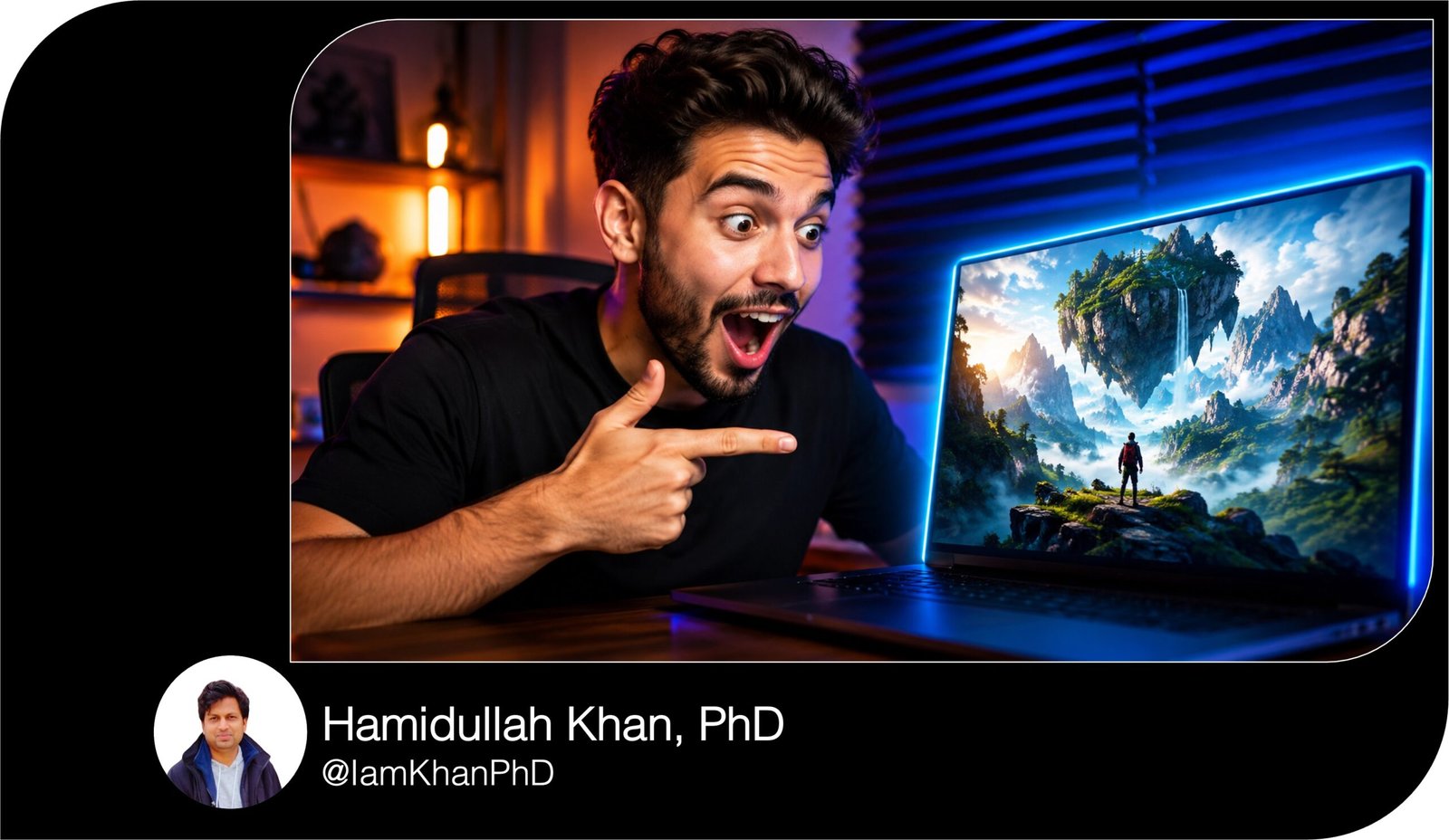
10 AI Prompts for YouTube Thumbnails
Create professional, clickable YouTube thumbnails with this collection of 10 detailed and editable AI prompts. Designed for beginners, these prompt templates cover tutorials, product reviews, transformations, gaming, finance, food, storytelling, news, and more.
Simply replace the bracketed placeholders with your video information and paste the prompt into your preferred AI image generator.
What This Prompt Pack Does
- Helps users generate clear, attention-grabbing YouTube thumbnail concepts for 10 popular video categories.
- Provides detailed instructions for subject placement, facial expressions, lighting, text, colors, backgrounds, and composition.
- Reduces trial and error by including editable placeholders, technical requirements, and elements to avoid.
Tips for Using These Prompts
- Keep thumbnail headlines between three and five words so they remain readable on mobile devices.
- When the AI generator produces incorrect text, generate the thumbnail without text and add the headline afterward in Canva, Photoshop, or another design tool.
- Create three to five versions of the same thumbnail prompt by changing the expression, background color, camera angle, or headline.
How to Use the Prompts
- Choose the prompt that best matches your YouTube video type.
- Replace every word inside [BRACKETS] with details related to your video, brand, audience, and preferred visual style.
- Paste the edited prompt into an AI image generator, generate several versions, and select the image with the clearest subject and strongest mobile readability.
FREE 1000+ Viral Content Prompts for Social Media Growth
10 Detailed AI Prompts for YouTube Thumbnails
Create attention-grabbing YouTube thumbnails without needing advanced design or AI skills. Each prompt below is fully editable and includes clear placeholders such as [VIDEO TOPIC], [THUMBNAIL TEXT], and [MAIN SUBJECT].
Replace the text inside the brackets with your own information, then paste the completed prompt into your preferred AI image generator.
10 AI Prompts for Instagram Quote Graphics
Prompt 1: High-Emotion Reaction Thumbnail
Best for: Reactions, commentary, challenges, shocking discoveries, viral stories, and entertainment videos.
Editable AI Prompt
Create a professional, high-click-through-rate YouTube thumbnail for a video about [VIDEO TOPIC].
Show [MAIN PERSON OR CHARACTER] in a large close-up on the [LEFT/RIGHT] side of the thumbnail, displaying an exaggerated [SHOCKED/EXCITED/CONFUSED/ANGRY/HAPPY] facial expression. The person should be looking toward [MAIN OBJECT OR EVENT] on the opposite side of the image.
Include [MAIN OBJECT, PRODUCT, SCREENSHOT, OR VISUAL ELEMENT] as the second focal point. Make it visually dramatic by adding [GLOWING OUTLINE/RED ARROW/CIRCLE/LIGHTNING/EXPLOSION EFFECT] around it.
Add the exact headline: “[THUMBNAIL TEXT — MAXIMUM 3 TO 5 WORDS]” in large, bold, mobile-readable lettering. Position the text in the [TOP/BOTTOM/CENTER] area without covering the face or main object.
Use a [BRIGHT/DARK/DRAMATIC] background related to [VIDEO TOPIC], with strong contrast between the subject and background. Use cinematic lighting, sharp facial details, vibrant colors, deep shadows, and a polished professional YouTube style.
Composition requirements: 16:9 landscape format, 1280 × 720 resolution, one clear focal point, uncluttered layout, strong contrast, easy to understand within one second, readable on a mobile screen, and important elements kept away from the bottom-right timestamp area.
Avoid: blurry faces, distorted hands, extra fingers, unreadable text, too many objects, duplicate people, tiny details, flat lighting, low contrast, watermarks, borders, and unnecessary background distractions.
Editable Fields
- [VIDEO TOPIC]: What the video is about
- [MAIN PERSON OR CHARACTER]: Creator, expert, customer, celebrity-style character, or fictional person
- [THUMBNAIL TEXT]: A short curiosity-driven phrase
10 Copy Paste AI Prompts for Weekly Content Planning
Prompt 2: Step-by-Step Tutorial Thumbnail
Best for: How-to videos, software tutorials, DIY projects, educational videos, and beginner guides.
Editable AI Prompt
Design a clean and highly clickable YouTube thumbnail for a tutorial titled [FULL VIDEO TITLE].
Feature [MAIN SUBJECT OR CREATOR] on the [LEFT/RIGHT] side, pointing toward [TOOL, SOFTWARE SCREEN, FINISHED RESULT, OR PROJECT]. Give the person a confident and helpful expression that communicates simplicity and success.
Show a clear visual transformation from [STARTING POINT OR PROBLEM] to [FINAL RESULT OR SOLUTION]. Use a bold arrow between the two stages to make the process instantly understandable.
Add the exact text: “[SHORT TUTORIAL HEADLINE]” using no more than five words. Use thick, bold lettering with a strong outline or shadow so it remains readable on small screens.
Include one small supporting badge that says “[BEGINNER FRIENDLY/5 MINUTES/STEP BY STEP/NO EXPERIENCE]”. Keep this badge secondary to the main headline.
Use a [COLOR 1] and [COLOR 2] visual theme. Add subtle icons connected to [VIDEO TOPIC], but keep the design clean and uncluttered. Use professional studio lighting, crisp details, and a modern educational YouTube style.
Composition requirements: 16:9 landscape format, 1280 × 720 resolution, clear visual hierarchy, large subjects, generous empty space, maximum of three main visual elements, and no important content in the bottom-right corner.
Avoid: complicated diagrams, long paragraphs, tiny screenshots, unreadable interface text, excessive icons, weak contrast, dull colors, distorted faces, watermarks, and crowded layouts.
Editable Fields
- [STARTING POINT OR PROBLEM]: The situation before using the tutorial
- [FINAL RESULT OR SOLUTION]: What viewers will achieve
- [SHORT TUTORIAL HEADLINE]: Examples: “Edit Videos Faster” or “Build It Today”
10 ChatGPT Prompts for Content Pillar Ideas
Prompt 3: Product Review Thumbnail
Best for: Product reviews, unboxings, affiliate videos, gadget reviews, beauty products, and buying guides.
Editable AI Prompt
Create a premium YouTube thumbnail for an honest review of [PRODUCT NAME].
Place a large, realistic image of [PRODUCT NAME] in the center or slightly to the [LEFT/RIGHT]. The product should look sharp, premium, well-lit, and instantly recognizable. Add a subtle glow or outline to separate it from the background.
Show [REVIEWER OR CREATOR] beside the product with a [SURPRISED/IMPRESSED/DISAPPOINTED/SKEPTICAL] expression. The reviewer should be looking at or holding the product naturally.
Add the exact headline: “[REVIEW HOOK]”. Examples of the style include “WORTH THE HYPE?”, “DON’T BUY YET”, or “MY HONEST REVIEW”. Use no more than four words.
Include one visual rating element, such as [4.5/5 STARS/THUMBS UP/THUMBS DOWN/QUESTION MARK], but do not overcrowd the design.
Use a background inspired by [PRODUCT CATEGORY OR BRAND STYLE], using [PRIMARY COLOR] and [ACCENT COLOR]. Create dramatic product lighting, realistic reflections, crisp textures, and a polished commercial-advertising look.
Composition requirements: 16:9 landscape, 1280 × 720 resolution, product as the main focal point, readable text on mobile, strong subject separation, and balanced placement of the reviewer and product.
Avoid: fake brand names, incorrect logos, distorted packaging, extra products, unreadable labels, cluttered backgrounds, tiny text, watermarks, low-quality shadows, and unrealistic hands.
Editable Fields
- [PRODUCT NAME]: The item being reviewed
- [REVIEW HOOK]: Your strongest opinion or curiosity phrase
- [PRODUCT CATEGORY OR BRAND STYLE]: Technology, luxury beauty, fitness, home, gaming, etc.
10 Free AI Prompts for UGC Creator Scripts
Prompt 4: Product Comparison Thumbnail
Best for: “A vs. B” videos, buying guides, software comparisons, smartphone comparisons, and service reviews.
Editable AI Prompt
Create a split-screen YouTube thumbnail comparing [OPTION A] and [OPTION B] for a video titled [VIDEO TITLE].
Place [OPTION A] prominently on the left side with a [COLOR A] background. Place [OPTION B] prominently on the right side with a [COLOR B] background. Make both options equally large and clearly separated by a glowing vertical divider or bold “VS” symbol.
Add the exact headline: “[COMPARISON HEADLINE]” in large, bold text. Use no more than four words, such as “WHICH IS BETTER?”, “BEST VALUE?”, or “A vs B”.
Include [CREATOR OR REVIEWER] in the center or bottom-left with a thoughtful or confused expression, looking between the two options.
Add one small visual clue representing the main comparison point: [PRICE TAG/SPEED ICON/CAMERA ICON/BATTERY ICON/QUALITY BADGE].
Use sharp commercial-style lighting, clean product cutouts, vibrant colors, subtle shadows, and a modern technology-review aesthetic. Ensure the viewer can identify both options immediately.
Composition requirements: 16:9 landscape, 1280 × 720 resolution, symmetrical layout, strong color contrast, large “VS” element, minimal supporting details, and safe spacing around all text.
Avoid: making one product much larger unless intentionally requested, incorrect product details, fake logos, unreadable names, more than two competing options, unnecessary decorative elements, and a crowded background.
Editable Fields
- [OPTION A] and [OPTION B]: The products, services, or methods being compared
- [COMPARISON HEADLINE]: The main buying question
- [MAIN COMPARISON POINT]: Price, quality, speed, features, ease of use, or performance
10 AI Prompts for Short Form Video Captions
Prompt 5: Before-and-After Transformation Thumbnail
Best for: Fitness, room makeovers, photo editing, business growth, beauty, cleaning, restoration, and personal development.
Editable AI Prompt
Design a dramatic before-and-after YouTube thumbnail showing the transformation of [SUBJECT].
Divide the thumbnail vertically into two clear sections. On the left, show the “BEFORE” version: [DESCRIPTION OF THE PROBLEM, OLD VERSION, OR STARTING POINT]. Use darker lighting, lower saturation, and a slightly less polished appearance.
On the right, show the “AFTER” version: [DESCRIPTION OF THE IMPROVED RESULT]. Use brighter lighting, vivid colors, clean details, and an impressive finished appearance.
Place a thick arrow pointing from the before side to the after side. Add the exact headline: “[TRANSFORMATION HEADLINE]”, using no more than four words. Examples include “WHAT A CHANGE!”, “30 DAYS LATER”, or “ZERO TO HERO”.
Add small, clearly readable labels saying “BEFORE” and “AFTER” above the correct sections.
Use consistent camera angles so the transformation feels believable. Make the difference obvious even when viewed on a small mobile screen. Use sharp details, cinematic lighting, and a polished YouTube makeover style.
Composition requirements: 16:9 landscape, 1280 × 720 resolution, balanced split-screen format, large transformation subject, strong contrast between both sides, minimal extra elements, and no content hidden by the timestamp.
Avoid: subtle transformations, mismatched camera angles, extra people, unrealistic body changes, distorted architecture, unreadable labels, excessive text, fake results, watermarks, and clutter.
Editable Fields
- [SUBJECT]: Person, room, website, business, object, photograph, or project
- [BEFORE DESCRIPTION]: The main problem
- [AFTER DESCRIPTION]: The visible result viewers want
10 ChatGPT Prompts for Repurposing Podcast Episodes
Prompt 6: Mystery and Storytelling Thumbnail
Best for: Documentaries, unexplained stories, true events, mystery content, horror, history, and investigative videos.
Editable AI Prompt
Create a cinematic and suspenseful YouTube thumbnail for a video about [MYSTERY, STORY, OR EVENT].
Show [MAIN PERSON, LOCATION, OR OBJECT] as the central focal point. Partially hide one important detail using [SHADOW/BLUR/RED CIRCLE/QUESTION MARK/SILHOUETTE] to create curiosity without making the thumbnail confusing.
In the background, include [LOCATION OR STORY SETTING] under dramatic [NIGHTTIME/FOGGY/STORMY/DIMLY LIT] conditions. Add subtle visual evidence such as [DOCUMENT, MAP, FOOTPRINT, LOCKED DOOR, ABANDONED OBJECT, OR SECURITY CAMERA].
Add the exact headline: “[MYSTERY HOOK]” using three to five words. Examples of the style include “WHAT REALLY HAPPENED?”, “THE HIDDEN TRUTH”, or “NEVER FOUND”.
Use cinematic shadows, directional lighting, deep contrast, realistic textures, and a tense documentary atmosphere. Use [DARK BLUE/BLACK/DEEP RED/DESATURATED GREEN] as the dominant color palette.
The thumbnail must create curiosity without revealing the full answer. It should feel serious, premium, and suitable for a professional documentary channel.
Composition requirements: 16:9 landscape, 1280 × 720 resolution, one dominant focal point, simple visual storytelling, large readable headline, and controlled use of dramatic effects.
Avoid: graphic violence, excessive blood, random horror faces, too many clues, unreadable text, cartoonish effects, irrelevant objects, low contrast, blurry subjects, watermarks, and misleading imagery.
Editable Fields
- [MYSTERY, STORY, OR EVENT]: The subject of the video
- [HIDDEN DETAIL]: The visual element that creates curiosity
- [MYSTERY HOOK]: A phrase that raises a question without giving away the answer
10 Copy-Paste AI Prompts for YouTube Community Posts
Prompt 7: Breaking News and Commentary Thumbnail
Best for: News updates, industry changes, creator commentary, technology news, business news, and trending topics.
Editable AI Prompt
Create a bold, urgent YouTube thumbnail for a news or commentary video about [NEWS TOPIC OR MAJOR UPDATE].
Feature [MAIN PERSON, COMPANY, PRODUCT, COUNTRY, OR EVENT] as the largest visual element. Use a sharp, realistic image with a strong outline or contrasting background.
Add [SECONDARY VISUAL] to represent what changed, such as a falling graph, rising graph, warning symbol, announcement screen, document, app interface, or damaged logo-style symbol. Do not use protected logos unless the user provides permission or an approved asset.
Add the exact headline: “[BREAKING NEWS HEADLINE]” using no more than five words. Place a smaller badge above it that says “BREAKING”, “NEW UPDATE”, or “JUST ANNOUNCED”.
Use an urgent visual palette based on [RED/YELLOW/BLACK/BLUE], with bold contrast, dramatic lighting, and clean editorial graphics. Make the topic instantly understandable without requiring viewers to read small details.
Include [CREATOR OR COMMENTATOR] with a serious, shocked, or concerned expression only when it supports the story. Keep the creator smaller than the main news subject.
Composition requirements: 16:9 landscape, 1280 × 720 resolution, mobile-readable text, a maximum of three focal elements, editorial-news styling, and clear spacing around every subject.
Avoid: false claims, fake quotations, unreadable documents, excessive warning symbols, too many faces, cluttered screenshots, incorrect flags, distorted logos, watermarks, and sensational graphic content.
Editable Fields
- [NEWS TOPIC OR MAJOR UPDATE]: The specific announcement or change
- [BREAKING NEWS HEADLINE]: The main consequence in three to five words
- [SECONDARY VISUAL]: A symbol that helps explain the story immediately
10 AI Prompts for Content Creator Bios
Prompt 8: Gaming Thumbnail
Best for: Gameplay, challenges, updates, walkthroughs, boss fights, survival games, and gaming tutorials.
Editable AI Prompt
Create an energetic gaming YouTube thumbnail for a video about [GAME NAME OR GAMING TOPIC].
Show [PLAYER CHARACTER, BOSS, VEHICLE, WEAPON, OR GAME OBJECT] in a dramatic action pose in the foreground. Place [ENEMY, CHALLENGE, EXPLOSION, REWARD, OR DANGER] in the background to create tension.
Include [GAMER OR CREATOR] on the [LEFT/RIGHT] side with an excited, shocked, or determined expression. Use a clean cutout with a bright outline so the face remains visible against the game scene.
Add the exact headline: “[GAMING HOOK]” using no more than four words. Examples include “IMPOSSIBLE BOSS!”, “I FINALLY WON”, “SECRET LEVEL”, or “NEW UPDATE”.
Add one attention-directing element such as a red arrow, glowing circle, level badge, rare-item glow, or danger symbol. Use only one or two effects to avoid clutter.
Use dynamic lighting, motion, sparks, dramatic depth, vivid colors, sharp details, and a high-energy gaming style. Match the environment to [GAME WORLD OR MAP] without copying copyrighted promotional artwork exactly.
Composition requirements: 16:9 landscape, 1280 × 720 resolution, large foreground character, clear action, bold text, strong separation between creator and gameplay, and visible details on mobile.
Avoid: copying official game cover art exactly, distorted weapons, extra limbs, unreadable interface elements, too many characters, excessive explosions, tiny text, muddy colors, watermarks, and confusing action.
Editable Fields
- [GAME NAME OR GAMING TOPIC]: Game, level, challenge, update, or strategy
- [GAMING HOOK]: The exciting result or challenge
- [ATTENTION-DIRECTING ELEMENT]: Arrow, glow, circle, badge, or icon
10 Free AI Prompts for Social Media Story Ideas
Prompt 9: Business, Money, and Finance Thumbnail
Best for: Entrepreneurship, side hustles, investing education, online income, marketing, and productivity.
Editable AI Prompt
Create a clean, authoritative YouTube thumbnail for a video about [BUSINESS OR FINANCE TOPIC].
Show [CREATOR, ENTREPRENEUR, OR EXPERT] wearing [CASUAL/SMART CASUAL/PROFESSIONAL] clothing, positioned on the [LEFT/RIGHT] side with a confident or surprised expression.
On the opposite side, display [MONEY AMOUNT, GRAPH, LAPTOP, WEBSITE, PRODUCT, SALES DASHBOARD, OR BUSINESS RESULT] as the main proof or outcome. Highlight the result with a subtle glow, upward arrow, or clean circle.
Add the exact headline: “[BUSINESS HOOK]” using three to five words. Examples include “$1,000 IN 30 DAYS”, “START WITH $0”, “MY BEST SIDE HUSTLE”, or “SALES DOUBLED”.
Use a professional background related to [HOME OFFICE/MODERN OFFICE/FINANCIAL CHART/ONLINE STORE/CONTENT STUDIO]. Use [DARK BLUE/GREEN/BLACK/WHITE/GOLD] as the main palette.
Make the visual result feel clear and credible rather than overly flashy. Use realistic lighting, clean typography, premium details, and a modern business-channel aesthetic.
Composition requirements: 16:9 landscape, 1280 × 720 resolution, strong visual hierarchy, one clear result, mobile-readable text, uncluttered background, and important details positioned away from the timestamp.
Avoid: fake bank statements, guaranteed-income claims, unrealistic piles of money, excessive luxury symbols, unreadable charts, too many currency icons, misleading earnings, watermarks, and low-quality text.
Editable Fields
- [BUSINESS OR FINANCE TOPIC]: Side hustle, marketing method, business lesson, or investing topic
- [BUSINESS HOOK]: A specific benefit, result, or question
- [PROOF OR OUTCOME]: Graph, dashboard, product, number, or completed project
10 AI Prompts for Caption Hooks for Coaches
Prompt 10: Food and Recipe Thumbnail
Best for: Recipes, food reviews, meal preparation, restaurant content, baking, and cooking tutorials.
Editable AI Prompt
Create a delicious, professional YouTube thumbnail for a video about [RECIPE, DISH, OR FOOD TOPIC].
Show a large close-up of [FINISHED DISH] in the foreground. The food should look fresh, realistic, colorful, and appetizing, with visible details such as [MELTED CHEESE/CRISPY TEXTURE/STEAM/SAUCE/FRESH HERBS/CHOCOLATE DRIZZLE].
Include [CHEF OR CREATOR] on the [LEFT/RIGHT] side, holding the dish or reacting with an excited and satisfied expression. Keep the face large enough to remain visible on mobile.
Add the exact headline: “[FOOD HOOK]” using no more than five words. Examples include “READY IN 10 MINUTES”, “BETTER THAN TAKEOUT”, “ONLY 3 INGREDIENTS”, or “THE PERFECT RECIPE”.
Add one small supporting badge that says “[10 MINUTES/EASY/HIGH PROTEIN/NO OVEN/BUDGET MEAL]”.
Use warm restaurant-style lighting, vibrant natural food colors, shallow depth of field, crisp textures, and a clean kitchen or dining background. Keep the dish as the strongest focal point.
Composition requirements: 16:9 landscape, 1280 × 720 resolution, large food close-up, readable headline, warm lighting, simple background, and no important details near the bottom-right corner.
Avoid: plastic-looking food, impossible ingredients, messy plates, distorted utensils, extra fingers, excessive text, dull lighting, unnatural colors, watermarks, and an overcrowded table.
Editable Fields
- [FINISHED DISH]: The completed meal or recipe
- [FOOD HOOK]: The strongest reason to watch
- [SUPPORTING BADGE]: Time, ingredient count, nutrition benefit, or difficulty level
About author





Add comment