
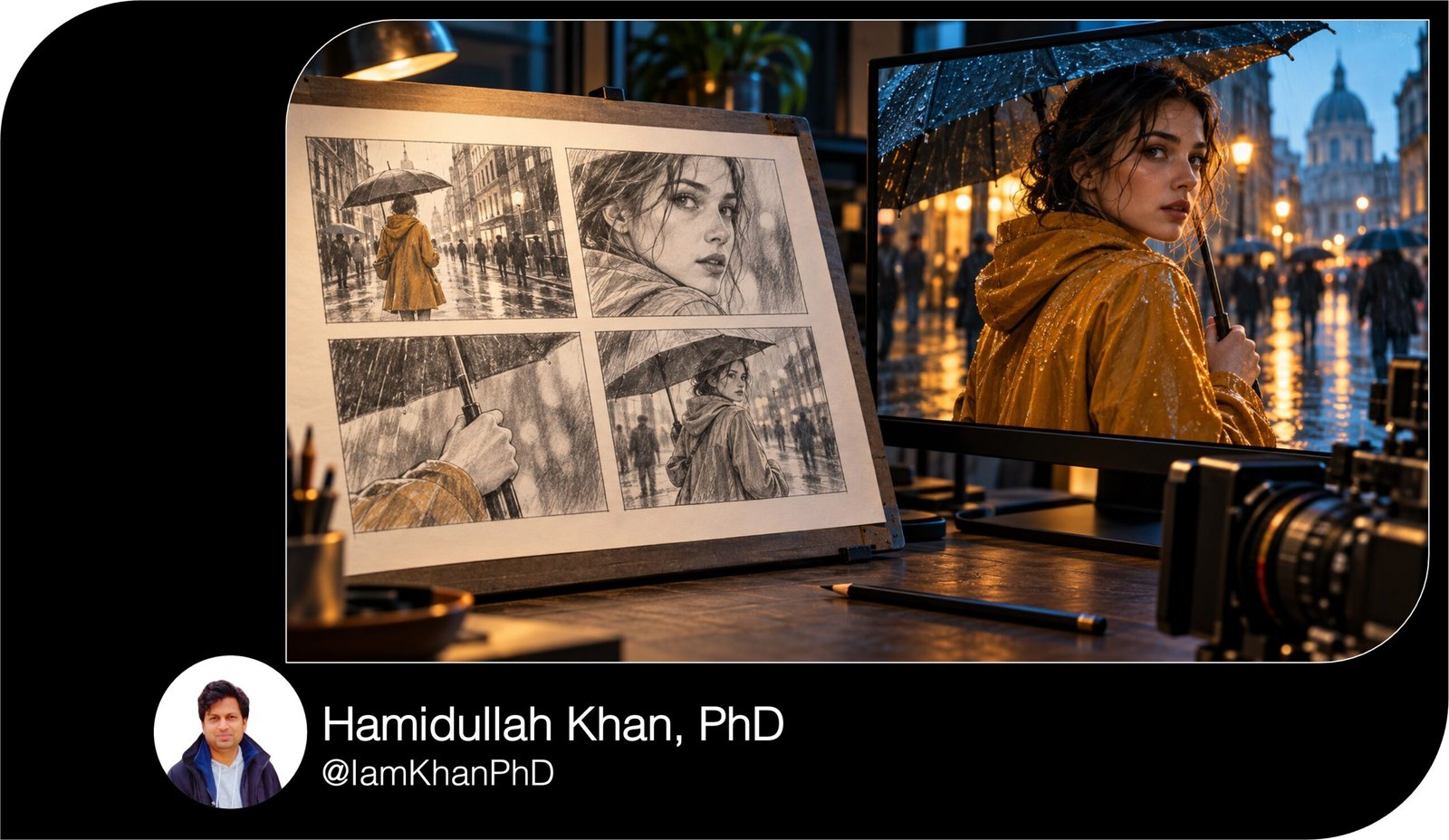
10 AI Prompts for Storyboard Scene Descriptions
Turn your video ideas into clear, panel-by-panel storyboard descriptions with 10 detailed, editable AI prompts. Designed for beginners, this pack helps you plan visible action, camera framing, timing, dialogue, and continuity for short videos, product demos, conversations, and more. Replace the bracketed fields and paste your chosen prompt into your AI chat tool.
What this prompt pack does
- Turns ideas and scripts into structured storyboard descriptions with framing, action, timing, and sound notes.
- Provides 10 focused templates for reels, product demos, dialogue, suspense, action, silent stories, explainers, and revisions.
- Helps keep characters, props, locations, and screen direction consistent from panel to panel.
Tips for this prompt pack
- Describe character clothing, key props, and location layout before generating the scene.
- Choose one clear goal and ending; include only actions that fit your intended video length.
- Revise specific panels with concrete feedback, such as “keep the bag in her left hand” or “show the doorway first.”
How to use the prompts
- Choose the prompt that matches your project and replace the [bracketed fields] with your details.
- Paste the completed prompt into your AI chat tool and review the generated storyboard table.
- Refine unclear panels, check timing and continuity, then use the descriptions to draw or commission your storyboard.
10 AI Prompts for Storyboard Scene Descriptions
Replace the [bracketed fields] with your details. A panel is one storyboard picture; several panels can show different moments within the same camera shot.
1. Turn a Story Idea into a Complete Scene
Act as a storyboard artist planning a short scene that someone can draw from your descriptions.
Use these details:
- Story idea: [Describe what happens in 2–4 sentences.]
- Main character: [Name, appearance, clothing, and one distinctive feature.]
- Visible goal: [What the character is trying to do.]
- Obstacle: [What gets in the way.]
- Setting and time: [Location, time of day, weather, and important objects.]
- Opening situation: [What viewers see first.]
- Ending: [What must be different by the final panel.]
- Mood and visual style: [For example: warm, hand-drawn family animation.]
- Format: [16:9 horizontal or 9:16 vertical.]
- Length and panel count: [15 seconds; 6 panels.]
- Must include / avoid: [List requirements.]
Create a beginning, complication, and resolution using the requested number of panels. Give each panel one main visual beat. Show feelings through posture, expressions, and actions instead of describing thoughts. Keep clothing, props, lighting, and character positions consistent unless an action explains a change.
Start with a two-sentence scene overview. Then provide a table with: panel number, estimated duration, shot size and camera angle, drawable scene description, movement notes, and sound or dialogue.
Make durations total the requested length. Keep descriptions specific about who is where and what is visible. Briefly list any assumptions after the table.
2. Convert a Script into Storyboard Descriptions
Adapt the script below into a storyboard without changing its story, dialogue, or event order.
My inputs:
- Script: [Paste the complete scene, including dialogue and action.]
- Character appearance references: [Describe each character.]
- Location details: [Room layout, entrances, furniture, and important props.]
- Visual style: [Live action, sketch, animation, or another style.]
- Screen format: [16:9 horizontal or 9:16 vertical.]
- Target duration: [For example: 45 seconds.]
- Preferred panel count: [For example: 8; add panels only if clarity requires them.]
- Details that must remain exact: [List dialogue, actions, or props.]
First identify the key visual beats in order. Then turn them into panels. Add a panel when a new viewpoint or important action moment is needed. Include reaction shots when they help explain a character’s response.
For each panel, provide: number, script beat covered, estimated duration, shot size and angle, visible scene description, exact dialogue or sound, and transition to the next panel.
Keep dialogue separate from the visual description. When several panels belong to one continuous camera shot, label them as the same shot.
Preserve all supplied dialogue. If the dialogue cannot fit naturally within the target duration, flag the timing conflict and suggest a longer duration. List any staging details you added that were not specified in the script.
3. Plan a Vertical Reel with a Visual Hook
Create storyboard scene descriptions for a short vertical video that makes sense even with the sound muted.
Use:
- Topic: [What the video is about.]
- Audience: [Who it is for and what they already know.]
- Viewer takeaway: [One thing viewers should understand or remember.]
- Opening hook idea: [An unusual result, visual question, mistake, or transformation.]
- Payoff: [What the opening will reveal or resolve.]
- Person or object featured: [Appearance and identifying details.]
- Setting and available props: [List what I can film.]
- Style and mood: [For example: friendly, bright, fast-paced demonstration.]
- Final viewer action: [Save, comment, follow, or another action.]
- Length and panels: [20 seconds; 7 panels.]
Use a 9:16 frame. Make the first two seconds visually clear and interesting, then build toward the promised payoff. Keep essential objects and text away from the frame edges. Use no more than eight words of on-screen text per panel.
Return a table with: panel number, start–end time, framing, visible action and composition, exact on-screen text with placement, optional voiceover, and transition.
Make the timings total the requested length. Describe visuals that communicate the takeaway without relying on voiceover. End with the requested viewer action and keep every panel practical with the listed props.
4. Show a Physical Product Solving a Problem
Write storyboard descriptions for a product demonstration that shows a real use case and a believable result.
Product brief:
- Product name and type: [Enter details.]
- Exact appearance: [Shape, size, material, color, packaging, and logo placement.]
- Intended customer: [Describe the person and use situation.]
- Everyday problem: [One specific problem to show.]
- Demonstrable feature: [What the product physically does.]
- Supported benefit or claim: [Use only facts I provide.]
- Visible result: [What the camera can actually show after use.]
- Setting, props, and available people: [List resources.]
- Style and format: [For example: clean tabletop demo; 9:16 vertical.]
- Length and panels: [25 seconds; 8 panels.]
- Final call to action: [Exact wording.]
- Restrictions: [Claims, comparisons, or visuals to avoid.]
Build the sequence around problem → product introduction → use → visible result → call to action.
Keep product dimensions, packaging, and branding consistent. Show how hands interact with the product clearly. Do not invent performance claims, customer reviews, certifications, or exaggerated before-and-after results.
Provide a table with: panel, duration, camera framing, detailed visible scene, product interaction, on-screen text, and sound.
Separate text overlays from the physical scene. Total the requested duration. Finish with a short checklist of product details that must stay consistent.
5. Storyboard a Two-Person Conversation
Plan a conversation scene where expressions and reactions help tell the story.
Scene details:
- Character A: [Appearance, clothing, goal, and emotional starting point.]
- Character B: [Appearance, clothing, goal, and emotional starting point.]
- Relationship: [For example: siblings avoiding a difficult conversation.]
- Location and layout: [Seating, doors, windows, and important props.]
- What happens: [Explain the disagreement, discovery, or decision.]
- Dialogue: [Paste exact lines, or write “draft up to 6 short lines.”]
- Emotional turning point: [The moment the relationship or mood shifts.]
- Final visible reaction: [What the last panel should show.]
- Style and format: [Enter details.]
- Length and panels: [45 seconds; 7 panels.]
Begin by assigning each character a screen position and direction of gaze. Keep the camera on a consistent side of the conversation so the characters appear to face each other across cuts.
Return a table with: panel, duration, framing, character positions, visible action and expression, dialogue, and sound.
Include an opening view that establishes both people, individual views, and at least one meaningful silent reaction. Avoid repetitive talking-head panels by using motivated changes in framing and relevant prop interactions.
Preserve supplied dialogue; flag any timing conflict instead of cutting lines silently.
6. Build Suspense Before a Reveal
Create storyboard descriptions for a suspense scene that uses visual clues and controlled reveals.
My scene:
- Main character and appearance: [Enter details.]
- Location and time: [Describe the space, entrances, and lighting.]
- What the character believes: [What they think is happening.]
- Actual reveal: [What viewers eventually discover.]
- Early visual clue: [An object, shadow, movement, or detail to show.]
- Misleading detail: [A believable detail that creates uncertainty.]
- Reveal point: [For example: panel 6 of 7.]
- Final reaction: [Relief, surprise, concern, or another visible response.]
- Intensity and exclusions: [For example: mild suspense; no gore or supernatural events.]
- Resources and format: [Available people, props, location; 16:9 or 9:16.]
- Length and panels: [30 seconds; 7 panels.]
Establish the location, introduce the clue, build uncertainty, and reveal the answer at the requested point. The clue must be visible before the reveal, but the camera must not expose the answer too early. Keep dark scenes readable and use only the listed resources.
For each panel, give: duration, camera framing, drawable description, what information the viewer can see, what remains outside the frame, and sound or silence.
Use concrete actions instead of phrases such as “tension increases.” Make durations total the requested length. Explain briefly how the reveal connects to the earlier clue.
7. Make an Action Sequence Easy to Follow
Storyboard a short action sequence with clear geography and a visible cause-and-effect chain.
Use these inputs:
- Main character: [Appearance and clothing.]
- Action goal: [For example: retrieve a rolling suitcase before it reaches a puddle.]
- Starting positions: [Where the character, target object, and obstacles begin.]
- Location layout: [Describe the route, landmarks, entrances, and exits.]
- Obstacles: [List up to three in the order they appear.]
- Key object: [Appearance and how it moves.]
- Outcome: [Success, failure, or a partial success.]
- Movement direction: [For example: left to right across the screen.]
- Practical limits: [For example: one actor, one location, no complex stunts.]
- Mood and format: [Enter details.]
- Length and panels: [20 seconds; 8 panels.]
Start with a wide view that makes the route understandable. Give each panel one clear action moment. Show the setup, obstacle, response, and consequence in an order viewers can follow.
Keep travel direction consistent; if it changes, include a view that explains the turn.
Return a table with: panel, duration, framing, character and object positions, visible action, movement direction, and sound.
Describe key poses that can be drawn; put ongoing motion in a separate note. Do not let characters or objects appear in new places without showing how they got there. Total the requested duration and finish with a brief geography check.
8. Tell an Emotional Story Without Dialogue
Create a silent storyboard that shows an emotional change through behavior, composition, and one meaningful object.
My inputs:
- Character appearance: [Name, clothing, age range, and distinguishing details.]
- Starting emotion: [For example: disappointment after a failed audition.]
- Ending emotion: [For example: quiet determination.]
- Situation: [What has just happened.]
- Meaningful object: [An item with a clear connection to the situation.]
- Trigger for change: [Something the character sees, finds, or does.]
- Location and time: [Enter details.]
- Visual style and color palette: [Enter details.]
- Final action: [A small, visible choice that proves the emotional change.]
- Format, length, and panels: [16:9; 30 seconds; 6 panels.]
Use no dialogue, narration, explanatory captions, or thought bubbles.
Make the emotional progression understandable through gaze, posture, hands, distance from the object, and interaction with the setting. Keep the object visually consistent throughout.
For each panel, provide: duration, framing, a specific drawable moment, facial expression or body language, placement of the meaningful object, and optional environmental sound.
Replace abstract phrases such as “she finds hope” with observable actions. Make durations total the requested length. End with the supplied final action and briefly explain which visible details carry the emotional change.
9. Explain a Process with Clear Visual Steps
Create storyboard descriptions for a beginner-friendly explainer using only the source information I provide.
Explainer brief:
- Topic: [The process or concept to explain.]
- Audience and prior knowledge: [Describe who is watching.]
- Learning objective: [What viewers should be able to explain or do afterward.]
- Approved source information: [Paste the facts, steps, definitions, or instructions.]
- Steps that must appear: [List them in order.]
- Visual approach: [Real demonstration, simple animation, diagram, or screen recording.]
- Example to use: [One concrete example.]
- Exact labels or interface wording: [Enter text, or write “none.”]
- Brand colors and style: [Enter details.]
- Format, length, and panels: [16:9; 45 seconds; 8 panels.]
Open with the problem or question, show the steps in order, and finish with a visible result or recap. Keep the same example throughout.
Use arrows, highlights, or close-ups only when they make a specific step easier to understand. Do not invent statistics, steps, interface labels, or factual claims. If an essential step is missing from the source, ask up to three focused questions before drafting.
Return a table with: panel, duration, visible scene description, exact labels and placement, narration, and source step covered.
Keep narration in plain language. Make durations total the requested length and check that every required step appears.
10. Improve a Rough Storyboard and Fix Continuity
Review and rewrite my existing storyboard so each panel is easier to draw and the scene remains visually consistent.
My materials:
- Existing storyboard descriptions: [Paste all numbered panels.]
- Intended story and ending: [Describe what must remain unchanged.]
- Character appearance rules: [Hair, clothing, accessories, and distinguishing features.]
- Location layout: [Doors, windows, furniture, and landmarks.]
- Prop rules: [Appearance, ownership, starting position, and which hand holds each item.]
- Lighting and time: [Enter details.]
- Screen format and visual style: [Enter details.]
- Fixed dialogue and total duration: [Paste exact lines and timing requirements.]
- Known problems: [For example: unclear movement, changing outfits, or repetitive framing.]
Check for unexplained changes in clothing, positions, props, lighting, gaze, and movement direction. Flag descriptions that cannot be drawn, such as internal thoughts without visible behavior. Check whether each action follows logically from the previous panel.
Return:
- A brief list of issues by panel number.
- A corrected table with panel number, duration, framing, rewritten visible description, dialogue or sound, and continuity note.
- A reusable appearance-and-prop checklist.
Preserve the story, ending, panel numbers, fixed dialogue, and total duration. Resolve minor staging ambiguities with clearly listed assumptions. If clarity requires extra panels or more time, suggest those changes separately rather than silently altering the requested structure.

About author





Add comment