
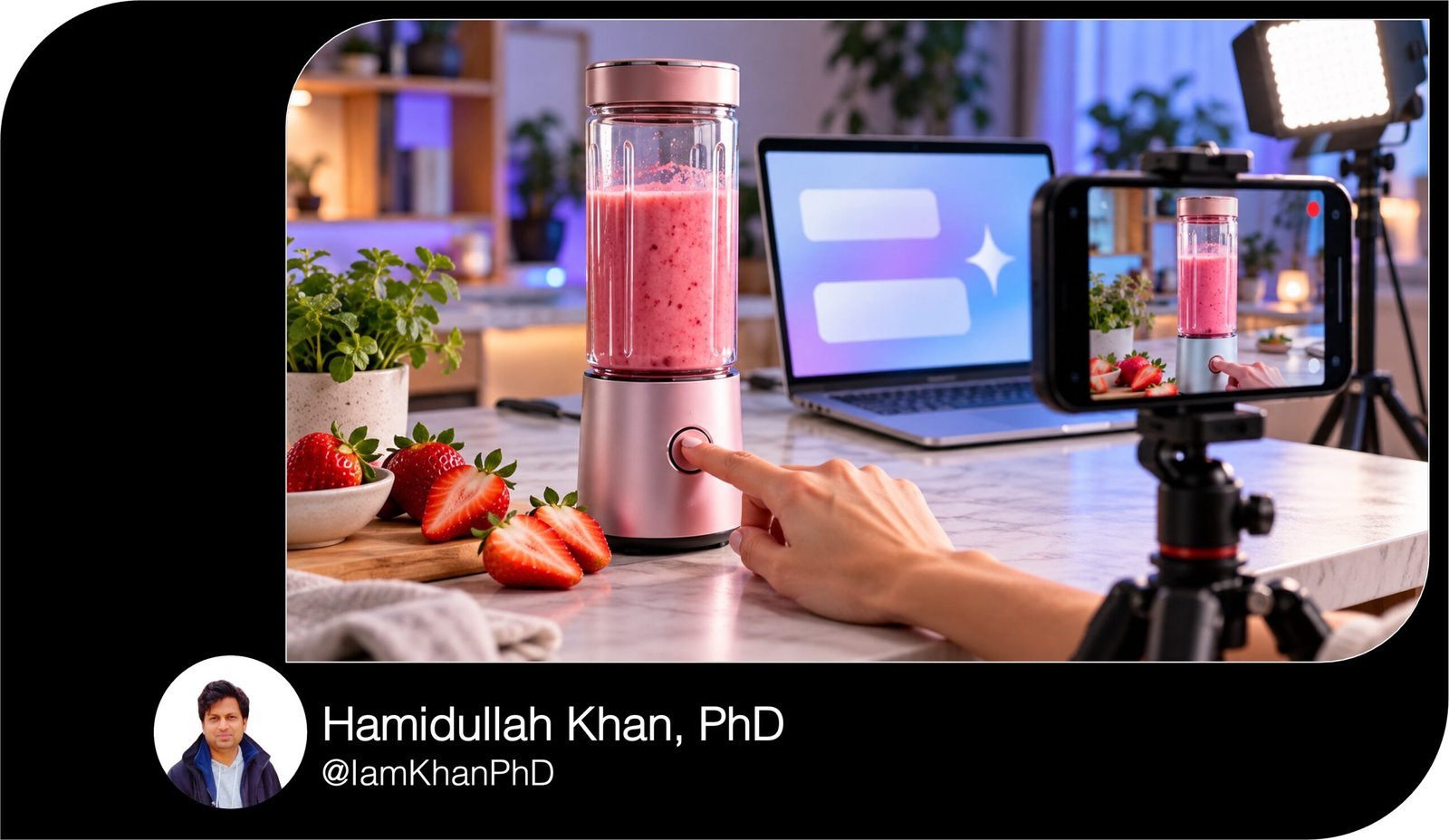
10 AI Prompts for Product Demo Video Ideas
Turn your product details into practical demo video ideas with 10 detailed, editable AI prompts. Create hooks, scripts, shot lists, and filming plans for problem-solving demos, before-and-after videos, hands-only content, software walkthroughs, and more. Designed for creators and business owners with basic AI experience—replace the placeholders, paste a prompt into your AI chat tool, and adapt the output for your product.
What this prompt does
- Generates product-specific demo ideas based on your audience, features, and filming resources.
- Turns selected ideas into hooks, timed scripts, shot lists, and calls to action.
- Helps you plan different demo formats using the product facts and evidence you provide.
Tips for this prompt
- Describe one specific customer and task; include real features, actual steps, and supported benefits.
- Add your video length, equipment, location, and budget to get a practical filming plan.
- Review every claim and demonstration step; ask the AI to simplify anything you cannot film.
How to use the prompt
- Choose the prompt that matches the type of product demo you want to create.
- Replace every bracketed field, then paste the complete prompt into your preferred AI chat tool.
- Review the ideas, refine your favorite, and use the script or shot list to record your demo.
10 AI Prompts for Product Demo Video Ideas
Replace the [BRACKETED FIELDS] with your details, then copy a complete prompt into your preferred AI chat tool. These prompts create video ideas, scripts, and filming plans.
1. Turn a Customer Problem into a Product Demo
Create 3 product demo video ideas that show how my product solves one specific customer problem.
My details:
- Product and what it does: [PRODUCT NAME + PLAIN-LANGUAGE DESCRIPTION]
- Intended customer: [WHO USES IT]
- Main problem: [ONE SPECIFIC FRUSTRATION]
- Relevant feature and verified benefit: [FEATURE + WHAT IT HELPS THE USER DO]
- Platform and video length: [PLATFORM], [15/30/60 SECONDS]
- Filming resources: [PHONE, LOCATION, PROPS, PEOPLE]
- Desired next step: [VISIT PRODUCT PAGE / TRY A DEMO / OTHER CTA]
For each idea, give me a title, an opening line of no more than 10 words, the exact problem shown on camera, the product action that addresses it, and the visible result. Explain why that idea fits my customer.
Choose the easiest idea to film with my resources. Expand it into a scene table with timestamps, camera framing, actions, spoken words, on-screen text, and the final call to action. Make the scene durations add up to my chosen length.
Use everyday language. Show the product doing something useful rather than relying on praise or decorative shots. Use only the product facts I provide. If an essential detail is missing, ask up to 3 focused questions before drafting.
2. Make One Product Feature Worth Watching
Help me turn one product feature into 3 distinct demo video concepts that make its practical value easy to understand.
My details:
- Product: [NAME + DESCRIPTION]
- Feature to demonstrate: [ONE FEATURE]
- How the feature actually works: [MECHANISM OR STEPS]
- Customer: [AUDIENCE]
- Situation where it matters: [SPECIFIC TASK OR MOMENT]
- Verified benefit: [SUPPORTED BENEFIT]
- Platform, length, and tone: [PLATFORM], [SECONDS], [TONE]
- Available equipment and props: [RESOURCES]
- Call to action: [NEXT STEP]
Create these 3 angles: a close-up demonstration, a real-life situation, and a simple challenge with an observable outcome. For each, specify the opening visual, the exact feature in action, the result viewers can see, and one sentence connecting that result to the customer’s needs.
Recommend one angle and write a timed script with a shot list, voiceover, and short text overlays. Give me 2 alternative opening lines for the same footage.
Keep the video focused on this single feature. Avoid vague statements such as “game-changing” or “premium quality.” If the benefit cannot be shown directly, suggest an honest visual explanation. Do not invent performance figures, certifications, or product capabilities.
3. Plan an Unboxing-to-First-Result Demo
Create a beginner-friendly product demo that takes someone from opening or accessing my product to achieving their first useful result.
My details:
- Product and type: [NAME], [PHYSICAL PRODUCT / DIGITAL PRODUCT / SERVICE]
- Intended first-time user: [AUDIENCE]
- What is included or available at the start: [CONTENTS OR ACCESS]
- Actual setup steps: [LIST STEPS IN ORDER]
- First useful task: [SIMPLE TASK]
- Expected result and realistic time required: [RESULT + TIME]
- Common beginner mistake: [MISTAKE]
- Platform and video length: [PLATFORM + SECONDS]
- Filming resources and call to action: [RESOURCES + NEXT STEP]
Suggest 3 story approaches: a quick first-use walkthrough, a beginner’s checklist, and a “watch me try it” demonstration. Describe the hook and key reveal for each, then recommend the clearest option.
For that option, write a timestamped filming plan showing the opening state, essential setup, first use, result, and call to action. Include exact narration and close-ups or screen captures needed.
Distinguish real setup time from edited screen time. Label any skipped waiting period. Show packaging only when relevant. Include one useful tip that prevents my listed mistake. Do not invent included accessories, setup steps, or a faster completion time.
4. Design an Honest Before-and-After Demo
Give me 3 before-and-after product demo ideas built around a result I can actually document.
My details:
- Product: [NAME + DESCRIPTION]
- Customer and problem: [AUDIENCE + PROBLEM]
- Starting condition: [WHAT THE BEFORE LOOKS LIKE]
- Product action: [HOW THE PRODUCT IS USED]
- Real outcome I can show: [OBSERVABLE CHANGE]
- Evidence available: [FOOTAGE / PHOTOS / MEASUREMENTS / NONE YET]
- Actual elapsed time and relevant conditions: [TIME + CONDITIONS]
- Platform, video length, and call to action: [PLATFORM + SECONDS + NEXT STEP]
For each concept, explain the first visual, the before shot, the product-use sequence, and the after reveal. Specify which conditions should stay consistent so the comparison is understandable.
Choose the strongest concept and create a timed storyboard with narration, text overlays, and a filming checklist. Include a clear way to show elapsed time if the outcome takes longer than the video.
Use supplied measurements only. If evidence is missing, propose a recording plan and label the outcome as something to verify before publishing. Do not fabricate results, imply one example is guaranteed, or use editing that exaggerates the change. End with a call to action that matches the demonstrated benefit.
5. Show One Product in Three Everyday Situations
Develop 3 product demo video ideas showing the same product solving different practical tasks for my target customer.
My details:
- Product: [NAME + DESCRIPTION]
- Target customer: [ONE CLEAR AUDIENCE]
- Verified functions: [WHAT THE PRODUCT CAN DO]
- Customer’s routine: [RELEVANT DAILY ACTIVITIES]
- Locations I can film in: [LOCATIONS]
- People and props available: [RESOURCES]
- Platform and length per video: [PLATFORM + SECONDS]
- Main call to action: [NEXT STEP]
Choose 3 distinct situations within this customer’s routine. Avoid repeating the same demonstration with different backgrounds.
Present a table with the situation, customer goal, opening hook, exact product action, visible payoff, required props, and filming difficulty. Explain what makes each situation relevant to this audience.
Turn the easiest idea into a complete timed script with shot directions, spoken words, and on-screen text. Then give me a 15-second version of the same idea.
Make each demo understandable without previous knowledge of the product. Use natural situations rather than forced scenarios. Every idea must demonstrate a function I listed. If the supplied functions do not support 3 distinct uses, explain that and ask for the missing information instead of inventing uses.
6. Answer a Buying Objection with a Demonstration
Create product demo video ideas that answer customer doubts by showing relevant evidence.
My details:
- Product: [NAME + DESCRIPTION]
- Target buyer: [AUDIENCE]
- Three real doubts or questions: [QUESTION 1], [QUESTION 2], [QUESTION 3]
- Verified facts relevant to those doubts: [FACTS]
- Evidence or demonstrations available: [WHAT I CAN SHOW]
- Known limits or conditions: [LIMITATIONS]
- Platform, video length, and brand voice: [PLATFORM + SECONDS + TONE]
- Desired call to action: [NEXT STEP]
Create one video concept for each question. Structure each as: the customer’s question, the exact demonstration, what the demonstration establishes, and a suitable call to action.
Recommend the concept with the clearest available evidence. Expand it into a timestamped script with an opening question, step-by-step action, close-up or screen-recording instructions, text overlays, and a direct answer at the end.
Use a helpful tone that respects the customer’s concern. Do not dismiss doubts or turn every answer into a sales claim. Separate what the demo proves from what still depends on the user’s situation. If I have not supplied enough evidence to answer a question, tell me exactly what I need to verify.
7. Compare a Current Method with Using the Product
Plan a side-by-side product demo comparing a customer’s current method with completing the same task using my product.
My details:
- Product and verified function: [NAME + FUNCTION]
- Customer: [AUDIENCE]
- Task to complete: [ONE SPECIFIC TASK]
- Current method and steps: [EXISTING WORKFLOW]
- Product-assisted method and steps: [NEW WORKFLOW]
- Measurements already verified: [TIMES / COUNTS / OTHER DATA / NONE]
- Conditions that affect the result: [CONDITIONS]
- Filming resources: [RESOURCES]
- Platform, length, and call to action: [PLATFORM + SECONDS + NEXT STEP]
Suggest 3 comparison concepts using only dimensions relevant to this task, such as steps, cleanup, convenience, or completion time when measured.
For each, explain the shared starting point, what happens on each side, the comparison viewers can observe, and a fair takeaway.
Expand the clearest concept into a timed split-screen or alternating-shot plan. Include narration, labels, a footage checklist, and a simple comparison table.
Keep task difficulty and conditions comparable. If a timer is shown, explain how to record it honestly. Do not invent savings, exaggerate flaws in the current method, or make unsupported competitor claims. Where measurements are missing, provide a test plan before suggesting numerical copy.
8. Create a No-Face, Hands-Only Product Demo
Give me 3 product demo video ideas I can film without showing my face.
My details:
- Physical product: [NAME + DESCRIPTION]
- Customer and main benefit: [AUDIENCE + VERIFIED BENEFIT]
- Actions that demonstrate the product: [2–4 REAL ACTIONS]
- Location and surface: [ROOM / TABLE / OTHER SETTING]
- Equipment: [PHONE / TRIPOD / LIGHT / OTHER]
- Props and budget: [AVAILABLE PROPS + MAXIMUM SPEND]
- Audio preference: [VOICEOVER / NATURAL SOUND / MUSIC ONLY]
- Platform and video length: [PLATFORM + SECONDS]
- Call to action: [NEXT STEP]
For each idea, describe the opening visual, hand movements, product action, camera position, and final reveal. State why the demo remains clear without a presenter.
Choose the easiest concept and give me a numbered shot list with approximate durations, framing, hand placement, text overlays, and sound notes. Make the durations fit my video length.
Keep essential steps visible and text readable on a phone. Give a simple lighting setup using my available equipment and a list of everything to place within reach before recording. If I choose music only, make the instructions understandable through visuals and captions. Avoid specialist equipment or props outside my budget.
9. Turn a Software Task into a Clear Screen Demo
Create 3 screen-recorded demo video ideas for my app, software, or digital tool.
My details:
- Product and purpose: [NAME + DESCRIPTION]
- Intended user and experience level: [AUDIENCE]
- Task the user wants to complete: [ONE TASK]
- Actual screen labels and steps: [PASTE VERIFIED LABELS + WORKFLOW]
- Starting state and final output: [BEFORE + RESULT]
- Features or steps that require a paid plan: [DETAILS / NONE]
- Platform and video length: [PLATFORM + SECONDS]
- Recording device and call to action: [DESKTOP / PHONE], [NEXT STEP]
Suggest 3 angles: “complete this task,” “avoid this common mistake,” and “discover this useful feature.” Use an angle only if my supplied workflow supports it.
For each idea, give a hook, the exact action viewers will watch, the result, and why it matters. Recommend one and build a timed script with cursor or tap movements, zoom points, narration, captions, and the final output reveal.
Use only interface labels and functions I provide. Request missing steps instead of inventing buttons. Show dummy data and flag personal information to hide. Label sped-up sections and waiting periods. If the workflow is too long, identify the key excerpt and the steps viewers still need to complete.
10. Plan a Five-Video Demo Series from One Shoot
Help me plan 5 distinct product demo videos that I can record in one filming session.
My details:
- Product: [NAME + DESCRIPTION]
- Intended customer: [AUDIENCE]
- Three verified features and benefits: [FEATURE + BENEFIT LIST]
- Common customer questions: [QUESTIONS]
- Available location, people, props, and equipment: [RESOURCES]
- Maximum filming time and budget: [MINUTES + BUDGET]
- Platform and length per video: [PLATFORM + SECONDS]
- Brand tone and call to action: [TONE + NEXT STEP]
Create a 5-video series covering a main problem, a feature in action, a first-use tip, a customer question, and a practical use case. Each video must work on its own and show a different action or answer.
For each, provide a title, first-3-second hook, demonstration sequence with approximate timings, visible result, text overlays, short voiceover, and call to action. Keep every plan within my selected length.
Then organize the filming session by camera setup and props. List reusable footage, unique shots, estimated recording time, and suggested filenames so editing is straightforward.
Fit the plan within my time and budget. If 5 distinct demos are not supported by my product details, identify the gaps. Do not pad the series with repeated ideas or unsupported benefits.

About author



Add comment