
How I Made a Viral Drawing Timelapse Video Using AI (Full Prompts Inside)
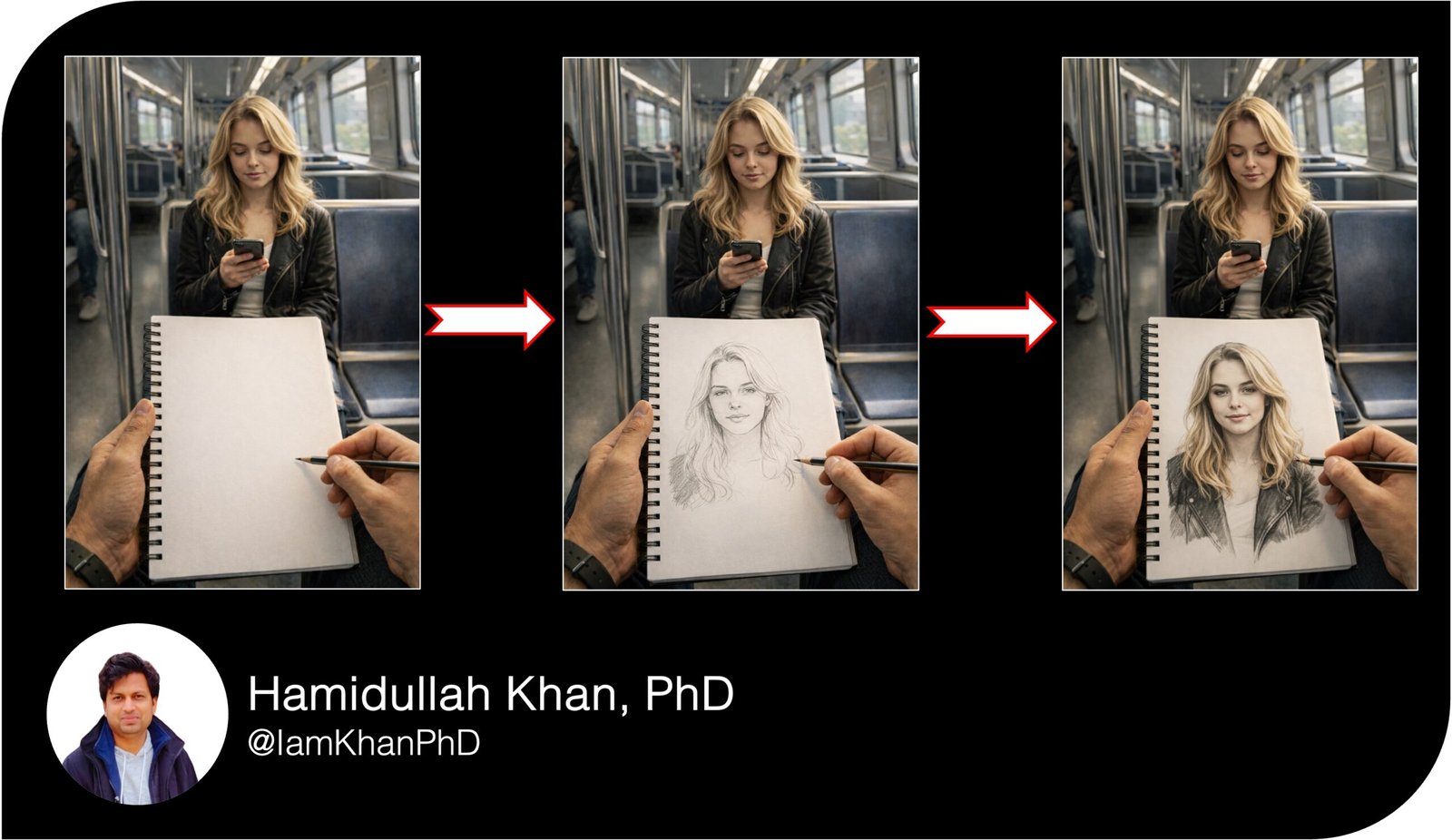
In this tutorial, I will show you how I created a smooth and satisfying drawing timelapse video using 3 AI-generated images and Flow AI.
The idea is simple:
Image 1 → Blank page
Image 2 → Half drawing
Image 3 → Finished drawing
Then I animated:
1 → 2
2 → 3
This creates a smooth timelapse effect.
Let’s break it down step by step.
Step 1: Plan the Concept
The scene is:
- First-person view inside a metro
- Sketchbook in hand
- A woman sitting across
- Blank page → sketch → finished portrait
- Cinematic lighting
- Vertical 9:16 format
This works well because:
- It creates curiosity
- It feels realistic
- It looks satisfying
- It loops nicely
Step 2: Generate Image 1 (Blank Page)
First, create the starting frame.
This image should show:
Sketchbook with completely blank white page
Pencil ready to draw
Woman sitting across in metro
Shallow depth of field
Natural daylight
8K quality
Image Prompt – Blank Page
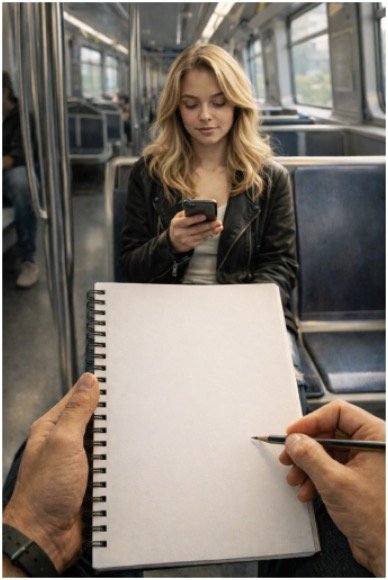
Create an ultra-realistic 8K vertical 9:16 cinematic photograph from a first-person perspective inside a modern American metro train during daytime.
The viewer is holding a spiral sketchbook with a completely blank white textured page. The spiral binding is visible on the left side. The left hand holds the sketchbook and wears a simple dark wristwatch. The right hand holds a sharpened graphite pencil hovering above the blank page.
In the softly blurred background, a 25-year-old American white woman with blonde wavy shoulder-length hair sits across on a blue metro seat looking at her smartphone. She wears a black leather jacket over a light top.
Modern metro interior, stainless steel poles, large windows, natural daylight, shallow depth of field, 85mm lens, ultra detailed textures. No text. No logos.
Step 3: Generate Image 2 (Half Sketch)
Now create the middle stage.
This image should look:
50–70% completed drawing
Light shading
Visible outline and facial features
Still realistic and clean
Image Prompt – Half Sketch
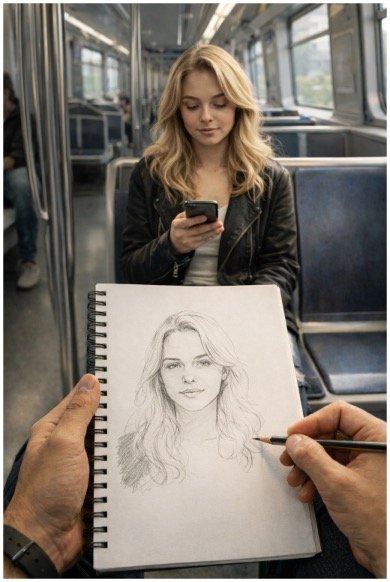
Use the same scene and camera angle as the previous image.
The sketchbook now contains a partially completed graphite portrait of the woman sitting across. The drawing shows facial outline, eyes, nose, lips and light hair strokes. Shading is soft and unfinished. Pencil texture visible. The right hand holds the pencil near the lower area of the drawing as if continuing to sketch.
Keep everything else identical: same metro, same lighting, same depth of field.
Ultra realistic, cinematic, 8K, no text, no watermark.
Step 4: Generate Image 3 (Finished Drawing)
This is the final stage.
Now the sketch should be:
Fully detailed
Realistic shading
Clean hair texture
Leather jacket shading
Almost photographic quality
Image Prompt – Finished Drawing
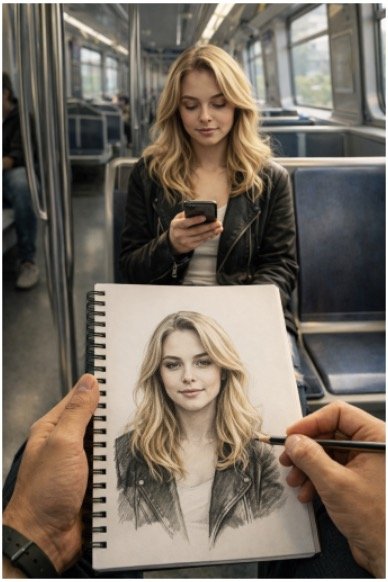
Use the same scene and camera position.
The sketchbook now contains a highly detailed, fully finished graphite portrait of the woman sitting across. The drawing includes smooth shading, realistic hair strands, detailed facial features, and jacket texture. The portrait closely matches the real woman in the background.
The right hand holds the pencil as if adding final touches.
Keep lighting, background, and framing consistent.
Ultra detailed graphite texture, 8K, shallow depth of field, cinematic lighting, no text, no watermark.
Step 5: Create the Timelapse Using Flow AI
Now use Flow AI to animate:
Video 1: Image 1 → Image 2
Video 2: Image 2 → Image 3
This creates a smooth drawing progression.
Video Prompt 1 (Blank → Half Sketch)
Create an ultra-realistic 8K vertical 9:16 short video inside a modern American metro train. The camera is stable in first-person perspective. The viewer holds a spiral sketchbook with a blank page.
The pencil begins drawing quickly and smoothly. A partial portrait gradually appears with outline strokes and light shading. The motion should look realistic and satisfying. Keep the background stable and softly blurred.
Audio: clean pencil scratching ASMR. No music. No dialogue.
Video Prompt 2 (Half Sketch → Finished Drawing)
Continue the same scene and camera angle. The partially completed sketch gradually transforms into a fully detailed realistic graphite portrait. Shading deepens, hair strands appear, and the drawing becomes highly polished.
Keep motion smooth and fast like a timelapse but realistic.
End with the camera slightly tilting up to show the real woman sitting across, matching the portrait.
Audio: crisp pencil scratching sounds only.
Why This Method Works
- Smooth visual transformation
- High realism increases watch time
- ASMR sound improves engagement
- Clear beginning and satisfying ending
- Perfect for Instagram Reels and Shorts
Simple Content Strategy Tip
Keep the video:
- 6–8 seconds
- Vertical 9:16
- Start drawing immediately
- No intro
- Loop friendly
Caption idea:
“Would you be surprised if someone drew you like this?”
Final Thoughts
You don’t need complicated editing.
Just:
Generate 3 consistent images
Animate 1 → 2 and 2 → 3
Keep it fast and satisfying
That’s it.

About author




Add comment